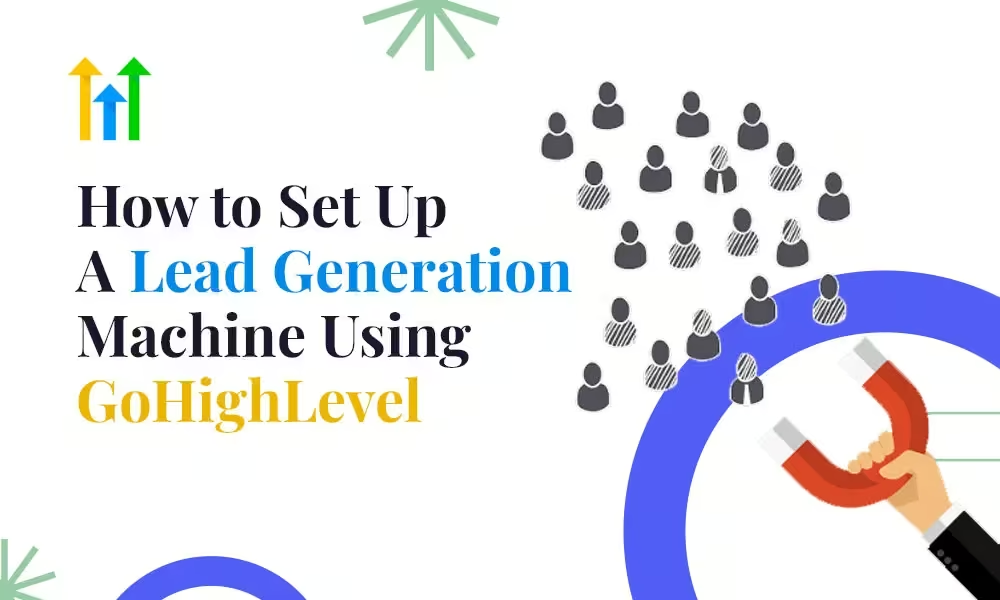
How to Set Up a Lead Generation Machine Using GoHighLevel (GHL)
Businesses operating in the competitive digital environment need to implement automation tools that simultaneously reduce time consumption and boost efficient client acquisition. The all-in-one platform GoHighLevel (GHL) functions as a powerful solution which helps agencies together with businesses establish a streamlined lead generation engine. The setup of a lead generation system in GoHighLevel brings substantial advantages to freelancers and agency owners and local businesses which enhance their conversion rates and minimize manual work to drive steady growth.
A step-by-step procedure exists to develop your personal lead generation system inside GoHighLevel.
Step 1: Define Your Lead Generation Goals and Audience
Any system needs clarity before its creation.
- Target Audience: Who are you trying to attract? Determine your market specialization as well as the fields of operation and specific population segments.
- Lead Type: Do you need cold leads, marketing-qualified leads (MQLs), or sales-qualified leads (SQLs)?
- Goal: What is your goal regarding generating leads? Are you collecting leads for appointments or service demos or product trials or newsletter signups?
You can create focused landing pages and workflows and automation in GoHighLevel when you understand these components to deliver high-converting and relevant leads.
Step 2: Create a High-Converting Funnel or Landing Page
The platform GoHighLevel lets users create professional landing pages without requiring any coding expertise. Here’s what to include:
- Headline and Subhead: Clearly communicate the offer and its benefit.
- Lead Magnet: Offer something valuable (e.g., free consultation, checklist, eBook).
- The system includes form and CTA buttons which use GHL tools to collect information such as names along with email addresses and phone numbers and service preferences.
- Trust Elements: Include testimonials, reviews, case studies, or certifications.
- Thank You Page: Set up a customized thank-you page that either books an appointment or pushes the lead into the next step.
Through GHL’s A/B testing capability users can test different versions of their funnel simultaneously to maximize conversion rates throughout time.
Step 3: Integrate GHL Forms and Calendars
The main method to obtain and evaluate leads is through forms and calendars.
- You can create customized forms within GHL which you can add to your landing pages.
- Users can schedule appointments instantly by using your GHL-integrated calendar system. The system allows you to link it with Google Calendar or Outlook to prevent scheduling conflicts.
Every new lead automatically enters your system without requiring any manual data entry.
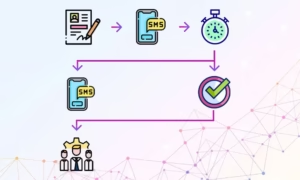
Step 4: Automate Follow-Ups with Workflows
This is where the magic happens. Through Workflows GHL enables you to automate the complete process of lead nurturing.
The platform provides users with automation features that include:
- Immediate Email or SMS Acknowledgement: “Thanks for signing up!”
- Drip Campaigns: Send a series of emails/SMS over days or weeks to build trust.
- The system sends reminders about appointments through both email messages and text messages.
- Tagging & Lead Scoring: Use tags and custom values to categorize hot vs. cold leads.
An automated system should send a few-day follow-up message to leads who completed your form but did not schedule a call.
Example Workflow:
- Trigger: New Form Submission
- Send Email #1 (Lead Magnet)
- Wait 1 Day
- Send SMS (Reminder to Book Call)
- If booked → Send confirmation email
- If not booked in 3 days → Assign to sales rep and send manual follow-up task
Step 5: Use Pipelines to Track Lead Progress
The Pipeline tool (found under Opportunities) in GHL provides a visual interface to monitor lead positions across your sales funnel.
The pipeline consists of stages that include:
- New Lead
- Contacted
- Booked Call
- No Show
- Closed – Won
- Closed – Lost
The system enables automated actions when leads advance down the sales pipeline so when a contact reaches “Booked Call” the email drip sequence stops and a confirmation workflow begins.
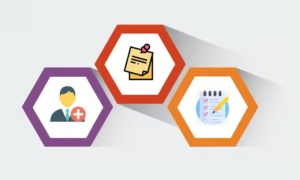
Step 6: Connect a CRM and Centralize Lead Data
The CRM features of GoHighLevel enable users to handle all their leads from within the platform.
Key features:
- Contact Profiles: See every interaction, tag, appointment, and message in one place.
- A proper management system needs to be established for assigning tasks to sales representatives as well as customer service personnel.
- Smart Lists: Filter contacts based on criteria like tags, last interaction, or campaign status.
All contacts become visible to the team which makes follow-ups easier and prevents losing any contact during the process.
Step 7: Run Paid Campaigns and Capture Leads Automatically
The GHL platform provides native integrations and webhooks which make it simple for Google Facebook and Instagram ad connection.
- Connect your ad account.
- Sync your lead forms.
- The system can trigger a workflow automatically whenever it detects a new ad lead coming into the system.
You do not need any additional tools such as Zapier or CSV import methods because of this feature.
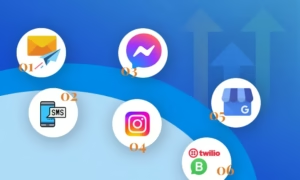
Step 8: Enable Two-Way Communication Channels
GoHighLevel supports omnichannel outreach, including:
- SMS
- Facebook Messenger
- Instagram DM
- Google Business Messages
- WhatsApp (via Twilio)
You can engage leads where they’re most active and increase the likelihood of conversion. Users can find prepared response templates which enable quick responses for both FAQs and follow-up messages.
Step 9: Use Reporting to Optimize Performance
A lead generation system needs performance tracking to be complete.
- GHL provides insights such as:
- Funnel Conversion Rates
- Email Open/Click Rates
- Pipeline Value and Conversion
- ROI per Campaign
- Missed Call/Text Rates
Using these metrics enables you to both enhance your successful strategies and solve your ineffective processes.
Step 10: Scale with White-Labeling and Team Management
Agencies that use GoHighLevel can generate leads for multiple clients through its features that include
- White-label dashboards
- Multi-account management
- Automated client onboarding workflows
- User roles and permissions for their team
This makes GHL not just a lead-gen tool — but a true client success engine.
Final Thoughts
GoHighLevel’s lead generation machine functions by joining effective assets with intelligent automation systems. The platform provides you with complete funnel management abilities starting from lead capture until conversion through its single platform. GoHighLevel stands as a revolutionary solution for businesses and agencies which seeks to generate continuous leads with minimal human involvement.
The investment of time for creating a GHL-powered lead generation system will generate ongoing compounding benefits for your business.
Are you in need of help to establish your GoHighLevel lead generation system?
Contact certified experts or agencies who specialize in GHL automation and onboarding to receive assistance. The setup process allows you to start working right away while you dedicate more time to lead conversions than lead acquisition.