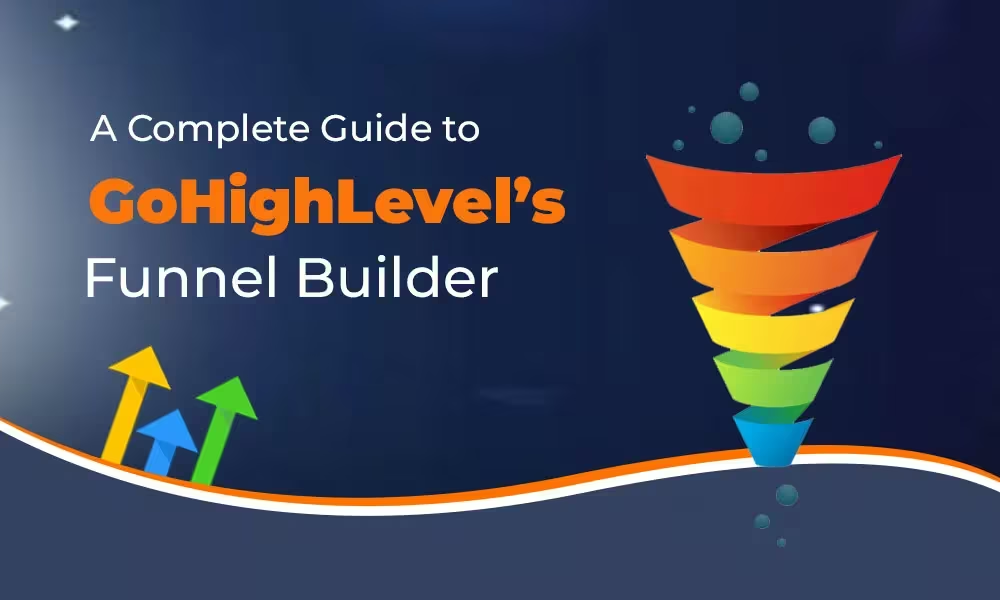
A Complete Guide to GoHighLevel’s Funnel Builder
GoHighLevel (GHL) operates as an all-inclusive marketing solution designed for businesses with growth ambitions and agencies. The Funnel Builder enables you to develop conversion-oriented sequences without coding since it allows you to create opt-in pages and sales pages together with checkout steps and upsells/downsells and appointment pages and thank-you screens. The native connection between GHL and your CRM records along with email/SMS automations and pipelines and calendars and memberships enables seamless integration. The real advantage lies in the integrated system since it reduces the number of tools and zaps and duct tape usage.
Core Features (and why they matter)
Drag-and-Drop Editor
Through the visual editor you can design pages by arranging sections and rows which include various elements such as headlines and images as well as forms and videos and buttons and countdowns. The design of conversion-oriented pages must include separate settings for mobile and desktop views.
Templates & Cloning
You can begin work with professional templates or duplicate successful ones. The reuse of winning layouts helps you save build time while ensuring consistent layouts across all client accounts.
Multi-Step Funnels
The standard process for a funnel consists of a landing page followed by a sales page then checkout with an optional one-time offer (OTO) after which comes a thank-you page. You can insert appointment steps alongside surveys or applications throughout the entire flow.
Native Forms & Surveys
Your CRM benefits from form creation which writes data directly into its system. You should use custom fields together with progressive profiling and conditional logic to achieve lead segmentation at the point of data collection.
Payments & Order Bumps
The payment system allows users to link payment gateways like Stripe for selling products along with subscriptions and services. Customers can receive order bumps on checkout and businesses can present additional offers after purchase to boost their average transaction value.
Calendars & Bookings
You can add GHL calendars to your site for presenting demos and conducting consultations as well as onboarding calls. All confirmation messages and reminder systems and no-show workflow automation exists within this single platform.
Workflows & Triggers
Every funnel action including form submissions and purchases and cart abandonments and missed call text-backs can start automated sequences that generate emails and SMS and DMs and tasks and pipeline movements and additional actions.
A/B Testing
You can perform split tests on headlines as well as layouts and offers and entire pages. The system monitors all visits and conversion rates and winners to enable rapid data-driven iteration.
Analytics & Attribution
The platform provides step-by-step conversion rates and order values and revenue metrics. The system allows users to track campaign sources through UTMs for proper attribution.
Custom Domains & SSL
Funnels can be hosted on branded domains or subdomains with SSL encryption already included. The combination of trust elements with improved form deliverability and basic SEO standards occurs through this setup.
Membership & Course Access
After successful checkout or opt-in customers can obtain members-only content through the platform without needing an external course platform.
Before You Build: Essential Setup
Agency users should establish sub-accounts for each client to maintain separate assets and data storage.
- Branding: Add logo, brand colors, and default fonts for speed and consistency.
- Domains: Map a custom domain/subdomain (e.g., funnels.yourbrand.com) and enable SSL.
- Payments: Connect Stripe (or your gateway) and set currency/tax if needed.
- Email & SMS: Verify your sending domain, configure SMTP, and connect SMS provider (e.g., Twilio) to enable reminders and sequences.
- Pipelines: Create CRM pipelines/stages to track lead progress from each funnel.
- Calendars: Set up at least one availability calendar for scheduling demos and consultations when your funnel generates bookings.
Step-by-Step: Building Your First Funnel
Create the Funnel Container
In Sites → Funnels, click “Create.” Name it clearly (e.g., “Spring Promo – Lead Magnet”).
Add Steps
Typical flow:
- Opt-In/Landing Page – promise + form.
- Bridge/Thank-You – set expectations, deliver lead magnet, or push to booking.
- Sales Page (optional) – offer + proof + guarantee.
- Checkout – payment + order bump.
- Upsell/Downsell – 1-click add-ons.
- Final Thank-You – onboarding instructions.
Design Each Page
Use a clean hierarchy:
- Big Promise Headline
- Subhead clarifying outcome
- Visual (mockup or hero image)
- Social proof (logos, testimonials)
- Single CTA above the fold
- Benefits in 3–5 bullets
- Objection handling (FAQ, guarantee)
Keep forms friction-light: collect only what you need now.
Connect Forms & Products
- Map form fields to CRM custom fields.
- Tag contacts by funnel and offer.
- Add products, pricing, order bumps, and OTOs with clear value props.
Wire Automations
In Workflows:
- Trigger: “Form Submitted (Funnel: Step X)” → send email/SMS confirmation, apply tags, create opportunity in pipeline, notify rep.
- The trigger “Order Submitted” enables the delivery of products and receipts, and initiates onboarding procedures and request evaluation processes.
- When tracking customers who check out but do not purchase the trigger sends an automated cart follow-up notification.
Set Up A/B Tests
Select the page for duplication before making changes to one specific element (headline or hero image or CTA button text). Perform testing until you reach significant traffic before identifying the winner for additional improvements.
Publish & QA
- The platform needs domain paths (e.g., /offer, /checkout) to function properly.
- The testing process requires examination of every step on desktop computers and mobile devices.
- Perform a genuine purchase in test mode if this function is available.
- Verify tags, opportunities, emails/SMS, and calendar booking flow.
Optimization Playbook (what actually moves the needle)
Your main priority for the first section of text above the fold should be to explain three essential elements: What is this? What audience segment is this targeting? What makes this important for me? What action should I take next?
- 1 Page = 1 Goal: Remove competing links. Keep the path linear.
- The conversion rates improve when images are compressed while heavy scripts and sections remain minimal. Faster pages convert better.
- Visual Proof: Add short testimonials, star ratings, or quick case stats near CTAs.
- The initial request should demand name and email information but additional details should be collected later through surveys or onboarding processes.
- Micro-Commitments: Use multi-step forms or quiz funnels to boost completion rates.
- Scarcity & Urgency: Ethical countdowns tied to real deadlines (launch windows, limited seats).
- The system will execute a 3–5 touch nurturing sequence of valuable content followed by another offer to unconverted contacts.
- AOV Uplift: Use order bumps (checkbox adds) and 1-click upsells with complementary value (warranty, templates, setup).
- Data Discipline: Every link must contain UTM source/medium/campaign tracking and form fields must be hidden to maintain proper contact attribution.
Common Mistakes to Avoid
- First touch encounters should not require excessive questions since this behavior deters cold traffic.
- A template that looks beautiful yet conceals the offer from view will fail to generate conversions. Lead with value.
- No Thank-You Strategy: The thank-you page is prime real estate—book a call, deliver next steps, or present a low-ticket upsell.
- Unrouted Leads: If forms don’t create opportunities or tasks, your sales process leaks. Always push to a pipeline stage.
- Set-and-Forget: Funnels decay. Review weekly: traffic quality, step conversion, revenue per visit.
Advanced Tactics (for agencies and power users)
- Offer Stacking: Pair a core offer with quick-win bonuses (checklists, templates, audit calls) to improve take rate without discounting.
- The system uses contact field information to display customized headlines or CTAs when visitors return to the site.
- Lead Scoring: Auto-score leads based on actions (page visits, link clicks, replies) and notify reps at thresholds.
- Round-Robin Calendars: Distribute bookings across a sales team; send no-show reminders and waitlist slots automatically.
- Post-Purchase Onboarding: Tag buyers → unlock membership/course → schedule kickoff → send usage nudges to reduce churn.
- Client Snapshot Templates: Package your best-performing funnel + workflows as a reusable “snapshot” for new clients.
Reporting: Knowing what’s working (and what isn’t)
You can check funnel performance by analyzing the number of visitors alongside opt-ins and sales as well as conversion percentages and average order value for each step.
- Source View: Compare revenue and CPA by UTM source/medium/campaign. Kill underperformers; scale winners.
- The sales pipeline displays velocity data alongside win rates and revenue projections that connect to funnel leads.
- Cohorts & LTV: Tag cohorts by offer/month to measure retention and lifetime value from a specific funnel.
GoHighLevel’s Funnel Builder becomes your preferred tool under these circumstances:
- Your organization requires a platform which unifies CRM functions with funnel creation and automation features.
- You operate an agency and require standardized deployments of snapshots that clients can utilize.
- Your business foundation relies on appointments and calls together with SMS as its main conversion methods.
- You prefer consolidation over stitching many tools with zaps.
You can maintain your separate page builder for branding sites while using GHL for acquisition funnels and back-end automation despite your deep investment in this builder.
Final Checklist before Launch
- Domain + SSL connected
- Mobile layout reviewed
- The form fields should connect to CRM systems and generate tags.
- Payments tested (test mode live check)
- A/B variant created
- Workflows firing (emails/SMS/tasks)
- The system enables users to book calendars while sending automatic reminders.
- Analytics: UTMs, goals, and revenue tracking verified
Bottom line: GoHighLevel’s Funnel Builder excels because it is native to your CRM, automations, calendars, and payments. Build lean, test relentlessly, and let the native workflows do the heavy lifting – from first click to booked call, purchase, and retention.