Go High Level

How to Automate Client Communications with GoHighLevel SMS & Email

How to Automate Client Communications with GoHighLevel SMS & Email 

Every business needs effective communication to achieve success. Your ability to maintain contact with clients determines whether you will develop lasting relationships or miss out on business opportunities regardless of your digital agency or coaching practice or local service-based business. The process of handling manual follow-ups and appointment reminders and nurturing campaigns becomes too complicated for most businesses to handle. 

The solution to this problem emerges through GoHighLevel’s SMS and email automation system which functions as a transformative solution. Businesses that use these tools achieve better client communication while saving time and delivering customized experiences which lead to higher client engagement and loyalty. This article demonstrates how to use GoHighLevel for automated client communication through step-by-step instructions while presenting proven methods for achieving optimal results. 
Why Automating Client Communication Matters

Why Automating Client Communication Matters 

Trust develops through effective communication methods. Most businesses encounter three main difficulties during their operations. 

  • The process of following up with leads at appropriate times becomes forgotten by businesses. 
  • The use of uninteresting generic email messages leads to client disengagement. 
  • The process of manual client messaging requires businesses to dedicate extensive periods of time. 
  • The failure to capture prospects results in lost business opportunities.

The implementation of automation systems removes all operational inefficiencies. The all-in-one platform of GoHighLevel enables you to create automated SMS and email sequences which deliver appropriate messages to clients at precise times without requiring hands-on intervention. 

The outcome produces better client satisfaction together with better conversion rates and improved operational efficiency for your business.


Getting Started with GoHighLevel SMS & Email Automation 

The process of beginning SMS and email automation with GoHighLevel starts here. 

The fundamental operation of GoHighLevel for automation requires understanding its core features which we will explain first.


1. Centralized CRM Integration

The CRM system of GoHighLevel enables users to maintain all their client information within a single database. The system provides instant access to all phone numbers and email addresses which streamlines the process of creating automated communication systems.


2. Workflows and Triggers

The automation system of GoHighLevel operates through workflows which serve as programmed sequences of actions. Workflows consist of predefined actions which include email and text message delivery and time-based delays that activate when particular events occur. 

For example: 

  • A new lead who completes a form will receive an automatic welcome SMS message. 
  • The system will send confirmation emails and reminder emails after users schedule appointments. 
  • The system sends automated thank-you emails containing additional business offers after customers finish their purchases.

3. Customizable Messaging

The system enables users to insert specific details from clients into their SMS and email templates through variables which include first names and appointment details and business information. The use of automated communication systems produces messages that appear individualized to each recipient. 


SMS Automation for Client Communication 

SMS stands as a highly effective method for client communication because it achieves more than 90% open rates. The following steps show you how to maximize GoHighLevel SMS automation for your business needs.


1. Welcome Messages

The instant delivery of a customized text message to new leads and clients should be your first step after they join your business. For example: 

Your business name receives thanks from [First Name] after he contacted you through [Your Business Name]. The team will contact you soon but you can answer this message if you need any help. 

The immediate response establishes a positive connection with your clients.

2. Appointment Reminders

Businesses lose valuable resources and revenue when their clients fail to show up for scheduled appointments. The implementation of automated SMS reminders helps businesses minimize the number of missed appointments. The following sequence provides an example of how to set up automated SMS reminders: 

  • Send confirmation immediately after booking. 
  • The system will send a reminder to clients about their upcoming appointment 24 hours in advance. 
  • The system will send its last reminder to clients one hour before their scheduled appointment time.

3. Follow-Ups


The first point of contact with a lead does not always result in conversion. The system enables you to create automated SMS sequences which will contact clients after their first interactions or meetings. The following message serves as an example: “Hi [First Name] I wanted to check in with you. Are you still interested in getting more information about [service/product]?”


4. Special Offers & Promotions

The system within GoHighLevel enables users to create scheduled SMS campaigns for promotional activities and seasonal promotions and special events. The fast reading speed of texts makes them suitable for delivering time-sensitive promotional content. 


Email Automation for Client Communication

Email Automation for Client Communication 

Email provides better relationship nurturing and detailed content delivery while SMS works best for brief immediate interactions. The email automation system of GoHighLevel enables users to create specific email campaigns which automatically connect with clients.


1. Welcome Sequences

Your list subscribers and new clients should receive automated welcome email sequences after joining your list or becoming clients. The following sequence of emails serves as an example: 

  • The first email thanks subscribers for joining before explaining what they can expect from your service. 
  • The second email presents your brand history and core values to subscribers. 
  • The third email contains valuable resources and case studies for your audience.

The email sequence helps customers trust your business while establishing your authority in the market.


2. Nurture Campaigns

The system enables you to send educational content through multiple emails which target leads who have not converted yet. The email sequence includes blog posts and FAQs and testimonials, which help solve the problems of your audience.


3. Transactional Emails

The system enables automated transactional email delivery for essential communications including appointment confirmations and payment receipts and order confirmations and post-purchase thank-you messages. 

These automated messages help maintain professional standards and maintain client awareness.


4. Re-Engagement Campaigns

The system enables you to create re-engagement email campaigns which target inactive clients who have not interacted with your business for an extended period. The email states: “We miss you! We have created a special promotion to bring you back to our services.”


Combining SMS and Email for Maximum Impact 

The combination of SMS and email automation in GoHighLevel creates its most powerful functionality. The two communication channels work together to enhance each other’s effectiveness. 

  • The system uses SMS for delivering quick updates and urgent messages and appointment reminders to clients. 
  • The system uses email to deliver detailed content and nurture relationships, and maintain long-term customer engagement.

For example: 

  • A client books an appointment → They receive a confirmation email with details and an SMS reminder the day before. 
  • A lead who downloads a free guide receives an automated email with appreciation and a subsequent SMS inquiry about scheduling a complimentary consultation.

Your business will achieve better engagement and conversion rate growth through using multiple contact channels to deliver messages to clients on their preferred communication platforms.
Best Practices for GoHighLevel SMS & Email Automation

Best Practices for GoHighLevel SMS & Email Automation 

The following guidelines will help you maximize the potential of these tools: 

  • Every message should include personalized elements through first name fields to create human-like interactions. 
  • The system should avoid sending excessive messages to clients because it needs to maintain proper timing between SMS and email communications. 
  • The system requires audience segmentation to create personalized campaigns which focus on client actions and choices and their position in the sales process. 
  • The analytics features in GoHighLevel enable you to monitor campaign performance so you can modify your strategies for better results. 

You must obtain consent from clients before sending marketing emails or SMS messages because non-compliance with regulations will occur otherwise.


Final Thoughts 

Businesses that want to expand their operations need to automate their client communication because it has become an essential requirement for team member workload management. The SMS and email automation features of GoHighLevel enable you to: 

  • Instant lead response capabilities are available. 
  • The system decreases appointment no-shows through automated reminder notifications. 
  • The email sequence provides valuable content to prospects who need nurturing. 
  • The system enables you to reach past clients through timely promotional offers. 
  • The system enables organizations to maintain professional communication at large scales through automated processes. 

The combination of strategic planning with automated processes in GoHighLevel enables businesses to create smooth client interactions while allowing staff members to concentrate on business expansion. GoHighLevel serves as the perfect solution for businesses seeking an improved communication management system. 

How to Use AI Triggers and Chatbots with GoHighLevel

How to Use AI Triggers and Chatbots with GoHighLevel 

Agencies along with businesses find powerful tools for marketing and sales management in GoHighLevel. The combination of automation triggers with chatbots and emerging Artificial Intelligence (AI) capabilities makes the system highly efficient while enabling improved customer interactions. This article presents a step-by-step approach to implement AI triggers and chatbots within GoHighLevel for business improvement purposes. 

The two main components which make up the GoHighLevel system are triggers and chatbots. 

Before we explore AI integration it is important to explain how triggers and chatbots function in the GoHighLevel platform. 

The system allows users to create automated rules which operate as “if this then that” triggers. You should first identify an event as the “trigger” before choosing multiple automated responses. Common triggers include: 

  •  A new contact is added. 
  •  A form is submitted. 
  •  An email is opened or clicked. 
  •  A customer replies to a text message. 
  •  An appointment is booked. 
  •  A tag is added to a contact.

Triggers in the system can execute multiple automated actions including SMS or email messages and tag addition and contact field updates and workflow enrollment and additional functionalities. 

The system includes automated conversational agents which provide messaging platform interaction for website visitors and leads. The platform responds to common inquiries and performs lead qualification and appointment scheduling and technical support while leading users through different operational steps. The chatbot builder in GoHighLevel enables users to build complex conversational sequences. 

The AI Revolution in GoHighLevel Automation

The AI Revolution in GoHighLevel Automation 

Now, let’s introduce the AI element. The implementation of AI into triggers and chatbots elevates your automation to a more intelligent personalized and responsive system. GoHighLevel implements the following capabilities for these features through Artificial Intelligence.


AI-Powered Chatbots: 

The AI-driven chatbots process natural language to conduct conversations that mimic human interactions. The AI system analyzes user intentions by understanding both direct and indirect phrasing which leads to better user satisfaction. 

The technology allows these chatbots to detect what a user really wants from their communication even when the message does not explicitly state it. The AI recognizes “I’m having trouble logging in” as a support request from the user during the conversation. 

The AI chatbots use collected conversation data and user actions and available system information to create appropriate responses during the conversation. The interaction experiences personalized treatment through this system which prevents users from recognizing pre-recorded scripts. 

AI chatbot platforms integrated with GoHighLevel learn from interactions to improve their response quality through past encounter analysis. The system identifies needed human agent involvement through AI chatbots which enables proper management of complex problems.


AI-Enhanced Triggers: 

The direct “AI triggers” do not have a specific name in GoHighLevel yet you can integrate AI tools and connect them to build smarter trigger conditions and perform additional actions. Here’s how: 

The system integrates AI tools which evaluate the sentiment of received emails and SMS messages and chat communications. The platform enables you to create triggers that monitor positive or negative or neutral sentiment in incoming messages. The system should trigger immediate customer support follow-up after detecting negative sentiment in customer messages. 

AI-based lead scoring platforms use various data points to evaluate lead conversion probabilities. The system enables triggers to activate automatically when leads reach certain score levels so sales teams can focus on their most valuable prospects.  

Predictive analysis tools in the market enable customers to forecast their behavior by measuring the chances of customer churn. Predictive analysis data enables the creation of triggers which automatically contact customers who are at risk through special offers and support initiatives. 

AI technologies analyze customer data to create personalized email and SMS content that GoHighLevel triggers send which enhances both user engagement and conversion success rates.The implementation process of AI triggers and chatbots within GoHighLevel requires following these step-by-step instructions. 

Here is a simple implementation plan to enable AI functionality within your GoHighLevel automation:

Choosing the Right AI Tools

1. Choosing the Right AI Tools:

For Chatbots: Check for AI chatbot platforms that have native integration capabilities with GoHighLevel. A number of NLP and machine learning based platforms exist that can be used. Research their features, pricing, and integration capabilities to identify the best solution for your needs. 

For Trigger Enhancement: Look for AI tools that have capabilities in sentiment analysis, lead scoring, predictive analytics or content personalization and have integration options (e.g., through Zapier, webhooks, or direct API) with GoHighLevel.


2. Integrating AI with Your GoHighLevel Account:

Chatbot Integration: Most AI chatbot platforms will provide specific instructions for integrating with GoHighLevel. Most of the time, it involves adding a snippet of code to your website or an API key. 

Trigger Enhancement Integration:


  • Zapier: This is a common integration tool that allows you to connect GoHighLevel with thousands of other apps, including many AI platforms. Set up a Zap that listens to events in GoHighLevel and then uses the AI tool to analyze the data or do the work, which can trigger other actions in GoHighLevel. 
  • Webhooks: Some AI platforms allow you to send data to a specific URL (webhook). You can set up a webhook in GoHighLevel to receive this data and trigger workflows based on the AI analysis. 
  • Direct API: If you have technical expertise, you can leverage the APIs of both GoHighLevel and the AI tool to create a custom integration.

3. Setting Up AI-Powered Chatbot Flows:

Define Your Goals: Determine what you want your AI chatbot to achieve (e.g., lead generation, customer support, appointment booking). 

Design Conversational Flows: Plan out the different paths a conversation might take, anticipating user questions and needs. Use the AI platform’s NLP and intent recognition capabilities to be able to handle a wider range of user inputs. 

Integrate with GoHighLevel Actions: Connect your chatbot flows to GoHighLevel actions, such as adding contacts, updating fields, sending SMS/emails, or triggering workflows based on user interactions. 

Implement Handoff Logic: Configure your chatbot to identify situations requiring human intervention and seamlessly transfer the conversation to a live agent within GoHighLevel.


4. Creating AI-Enhanced Triggers:

Identify Opportunities: Analyze your current trigger workflows and identify areas where AI could add value (e.g., prioritizing leads, identifying unhappy customers). 

Configure Integrations: Set up the necessary integrations with your chosen AI tools using Zapier, webhooks, or direct API. 

Define Trigger Conditions: Specify the conditions that will activate your AI-enhanced triggers. For example, receive data from an AI tool (e.g., a lead score above a certain threshold, a negative sentiment detected). 

Set Up Trigger Actions: Define the actions that should occur when the trigger is activated. This could include notifying your sales team, sending a personalized follow-up, adding a tag, or escalating a support ticket. 

Best Practices for Using AI in GoHighLevel

  • Start Simple: Begin with one or two key areas where AI can have the biggest impact and gradually expand your implementation. 
  • Test and Iterate: Continuously monitor the performance of your AI chatbots and enhanced triggers. Analyze the data, identify areas for improvement, and make adjustments as needed. 
  •  Maintain a Human Touch: While AI can automate many tasks, it’s crucial to maintain a human element in your customer interactions. Ensure seamless handoffs from chatbots to human agents when necessary and personalize your AI-driven communications. 
  •  Train Your AI (If Applicable): Some AI chatbot platforms require training on your specific data and use cases to optimize their performance. 
  •  Stay Updated: The field of AI is constantly evolving. Keep up to date with the latest developments and see if you can apply them to your GoHighLevel automation strategies.

Conclusion

The addition of AI triggers and chatbots to GoHighLevel will lead to enhanced marketing and sales performance. With natural language processing, sentiment analysis and predictive analytics, you can develop more intelligent, personalized efficient automation workflows. The implementation process requires planning but the resulting lead generation improvements, along with enhanced customer engagement and streamlined processes, make the investment worthwhile. The present day is the right time to investigate AI possibilities in GoHighLevel because it will bring automation to the next level for your business. 

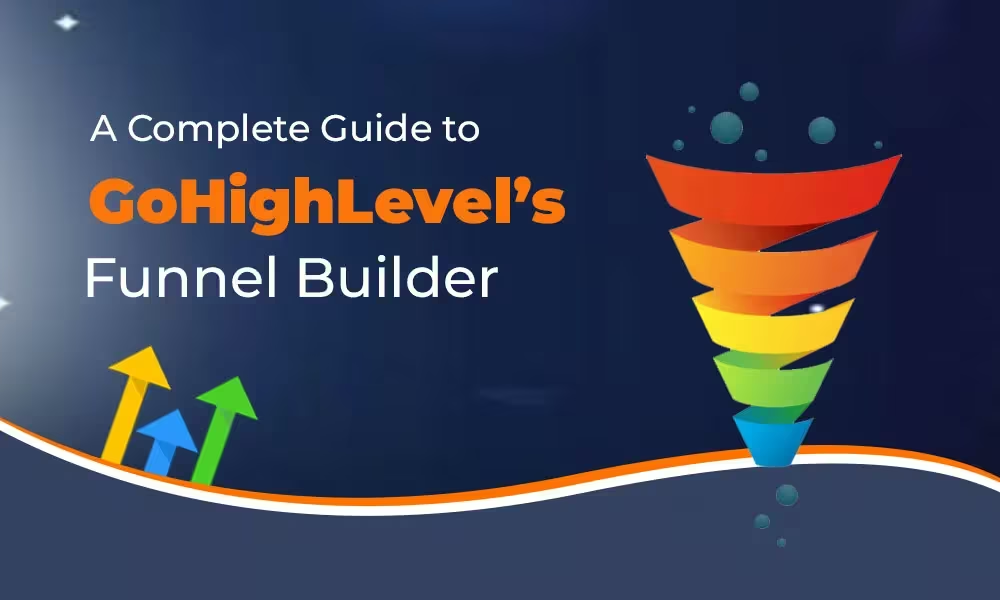
A Complete Guide to GoHighLevel’s Funnel Builder

A Complete Guide to GoHighLevel’s Funnel Builder 

GoHighLevel (GHL) operates as an all-inclusive marketing solution designed for businesses with growth ambitions and agencies. The Funnel Builder enables you to develop conversion-oriented sequences without coding since it allows you to create opt-in pages and sales pages together with checkout steps and upsells/downsells and appointment pages and thank-you screens. The native connection between GHL and your CRM records along with email/SMS automations and pipelines and calendars and memberships enables seamless integration. The real advantage lies in the integrated system since it reduces the number of tools and zaps and duct tape usage. 

Core Features (and why they matter)

Core Features (and why they matter) 

Drag-and-Drop Editor 

Through the visual editor you can design pages by arranging sections and rows which include various elements such as headlines and images as well as forms and videos and buttons and countdowns. The design of conversion-oriented pages must include separate settings for mobile and desktop views. 

Templates & Cloning 

You can begin work with professional templates or duplicate successful ones. The reuse of winning layouts helps you save build time while ensuring consistent layouts across all client accounts. 

Multi-Step Funnels 

The standard process for a funnel consists of a landing page followed by a sales page then checkout with an optional one-time offer (OTO) after which comes a thank-you page. You can insert appointment steps alongside surveys or applications throughout the entire flow. 

Native Forms & Surveys 

Your CRM benefits from form creation which writes data directly into its system. You should use custom fields together with progressive profiling and conditional logic to achieve lead segmentation at the point of data collection. 

Payments & Order Bumps 

The payment system allows users to link payment gateways like Stripe for selling products along with subscriptions and services. Customers can receive order bumps on checkout and businesses can present additional offers after purchase to boost their average transaction value. 

Calendars & Bookings 

You can add GHL calendars to your site for presenting demos and conducting consultations as well as onboarding calls. All confirmation messages and reminder systems and no-show workflow automation exists within this single platform. 

Workflows & Triggers 

Every funnel action including form submissions and purchases and cart abandonments and missed call text-backs can start automated sequences that generate emails and SMS and DMs and tasks and pipeline movements and additional actions. 

A/B Testing 

You can perform split tests on headlines as well as layouts and offers and entire pages. The system monitors all visits and conversion rates and winners to enable rapid data-driven iteration. 

Analytics & Attribution 

The platform provides step-by-step conversion rates and order values and revenue metrics. The system allows users to track campaign sources through UTMs for proper attribution. 

Custom Domains & SSL 

Funnels can be hosted on branded domains or subdomains with SSL encryption already included. The combination of trust elements with improved form deliverability and basic SEO standards occurs through this setup. 

 Membership & Course Access 

After successful checkout or opt-in customers can obtain members-only content through the platform without needing an external course platform. 

Before You Build: Essential Setup 

Agency users should establish sub-accounts for each client to maintain separate assets and data storage. 

  •  Branding: Add logo, brand colors, and default fonts for speed and consistency. 
  •  Domains: Map a custom domain/subdomain (e.g., funnels.yourbrand.com) and enable SSL. 
  •  Payments: Connect Stripe (or your gateway) and set currency/tax if needed. 
  •  Email & SMS: Verify your sending domain, configure SMTP, and connect SMS provider (e.g., Twilio) to enable reminders and sequences. 
  •  Pipelines: Create CRM pipelines/stages to track lead progress from each funnel. 
  •  Calendars: Set up at least one availability calendar for scheduling demos and consultations when your funnel generates bookings. 

Step-by-Step: Building Your First Funnel 

Create the Funnel Container 

In Sites → Funnels, click “Create.” Name it clearly (e.g., “Spring Promo – Lead Magnet”). 

Add Steps 

Typical flow: 

  •  Opt-In/Landing Page – promise + form. 
  •  Bridge/Thank-You – set expectations, deliver lead magnet, or push to booking. 
  •  Sales Page (optional) – offer + proof + guarantee. 
  •  Checkout – payment + order bump. 
  •  Upsell/Downsell – 1-click add-ons. 
  • Final Thank-You – onboarding instructions. 

Design Each Page 

Use a clean hierarchy: 

  • Big Promise Headline 
  •  Subhead clarifying outcome 
  •  Visual (mockup or hero image) 
  •  Social proof (logos, testimonials) 
  •  Single CTA above the fold 
  •  Benefits in 3–5 bullets 
  •  Objection handling (FAQ, guarantee) 

Keep forms friction-light: collect only what you need now. 

Connect Forms & Products 

  • Map form fields to CRM custom fields. 
  • Tag contacts by funnel and offer. 
  • Add products, pricing, order bumps, and OTOs with clear value props. 

Wire Automations 

In Workflows: 

  • Trigger: “Form Submitted (Funnel: Step X)” → send email/SMS confirmation, apply tags, create opportunity in pipeline, notify rep.  
  • The trigger “Order Submitted” enables the delivery of products and receipts, and initiates onboarding procedures and request evaluation processes. 
  •  When tracking customers who check out but do not purchase the trigger sends an automated cart follow-up notification. 

Set Up A/B Tests 

Select the page for duplication before making changes to one specific element (headline or hero image or CTA button text). Perform testing until you reach significant traffic before identifying the winner for additional improvements. 

Publish & QA 

  •  The platform needs domain paths (e.g., /offer, /checkout) to function properly. 
  •  The testing process requires examination of every step on desktop computers and mobile devices. 
  •  Perform a genuine purchase in test mode if this function is available. 
  •  Verify tags, opportunities, emails/SMS, and calendar booking flow. 

Optimization Playbook (what actually moves the needle) 

 Your main priority for the first section of text above the fold should be to explain three essential elements: What is this? What audience segment is this targeting? What makes this important for me? What action should I take next? 

  •  1 Page = 1 Goal: Remove competing links. Keep the path linear. 
  •  The conversion rates improve when images are compressed while heavy scripts and sections remain minimal. Faster pages convert better. 
  •  Visual Proof: Add short testimonials, star ratings, or quick case stats near CTAs. 
  •  The initial request should demand name and email information but additional details should be collected later through surveys or onboarding processes. 
  •  Micro-Commitments: Use multi-step forms or quiz funnels to boost completion rates. 
  •  Scarcity & Urgency: Ethical countdowns tied to real deadlines (launch windows, limited seats). 
  •  The system will execute a 3–5 touch nurturing sequence of valuable content followed by another offer to unconverted contacts. 
  •  AOV Uplift: Use order bumps (checkbox adds) and 1-click upsells with complementary value (warranty, templates, setup). 
  •  Data Discipline: Every link must contain UTM source/medium/campaign tracking and form fields must be hidden to maintain proper contact attribution. 

Common Mistakes to Avoid

Common Mistakes to Avoid 

  •  First touch encounters should not require excessive questions since this behavior deters cold traffic. 
  •  A template that looks beautiful yet conceals the offer from view will fail to generate conversions. Lead with value. 
  •  No Thank-You Strategy: The thank-you page is prime real estate—book a call, deliver next steps, or present a low-ticket upsell. 
  •  Unrouted Leads: If forms don’t create opportunities or tasks, your sales process leaks. Always push to a pipeline stage. 
  •  Set-and-Forget: Funnels decay. Review weekly: traffic quality, step conversion, revenue per visit. 

Advanced Tactics (for agencies and power users) 

  •  Offer Stacking: Pair a core offer with quick-win bonuses (checklists, templates, audit calls) to improve take rate without discounting. 
  •  The system uses contact field information to display customized headlines or CTAs when visitors return to the site. 
  •  Lead Scoring: Auto-score leads based on actions (page visits, link clicks, replies) and notify reps at thresholds. 
  •  Round-Robin Calendars: Distribute bookings across a sales team; send no-show reminders and waitlist slots automatically. 
  •  Post-Purchase Onboarding: Tag buyers → unlock membership/course → schedule kickoff → send usage nudges to reduce churn. 
  •  Client Snapshot Templates: Package your best-performing funnel + workflows as a reusable “snapshot” for new clients. 

Reporting: Knowing what’s working (and what isn’t) 

 You can check funnel performance by analyzing the number of visitors alongside opt-ins and sales as well as conversion percentages and average order value for each step. 

  •  Source View: Compare revenue and CPA by UTM source/medium/campaign. Kill underperformers; scale winners. 
  •  The sales pipeline displays velocity data alongside win rates and revenue projections that connect to funnel leads. 
  •  Cohorts & LTV: Tag cohorts by offer/month to measure retention and lifetime value from a specific funnel. 

GoHighLevel’s Funnel Builder becomes your preferred tool under these circumstances: 

  •  Your organization requires a platform which unifies CRM functions with funnel creation and automation features. 
  •  You operate an agency and require standardized deployments of snapshots that clients can utilize. 
  •  Your business foundation relies on appointments and calls together with SMS as its main conversion methods. 
  •  You prefer consolidation over stitching many tools with zaps. 

You can maintain your separate page builder for branding sites while using GHL for acquisition funnels and back-end automation despite your deep investment in this builder. 

Final Checklist before Launch 

  • Domain + SSL connected 
  •  Mobile layout reviewed 
  •  The form fields should connect to CRM systems and generate tags. 
  •  Payments tested (test mode live check) 
  •  A/B variant created 
  •  Workflows firing (emails/SMS/tasks) 
  •  The system enables users to book calendars while sending automatic reminders. 
  •  Analytics: UTMs, goals, and revenue tracking verified 

Bottom line: GoHighLevel’s Funnel Builder excels because it is native to your CRM, automations, calendars, and payments. Build lean, test relentlessly, and let the native workflows do the heavy lifting – from first click to booked call, purchase, and retention. 

How to Integrate GoHighLevel with Facebook and Google Ads

How to Integrate GoHighLevel with Facebook and Google Ads 

An agency guide to integrating GoHighLevel with Facebook Ads and Google Ads. The platform GoHighLevel serves as an essential tool for agencies together with marketers who need to merge CRM functions with funnel development and email marketing automation under one platform. The complete utilization of GoHighLevel demands its integration with Facebook Ads and Google Ads systems. The system enables enhanced conversion tracking and lead synchronization and ad performance tracking alongside automated campaign management through workflows which optimize customer journey operations. 

The following guide demonstrates step-by-step Facebook and Google Ads integration with GoHighLevel while discussing its benefits and providing expert recommendations for enhanced campaign optimization. 

Why Integrate GoHighLevel with Facebook and Google Ads?  

Before starting with the how-to section it is vital to understand the reasons behind the integration. The following section presents the essential advantages of uniting GoHighLevel with your advertising platforms. 

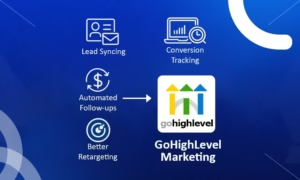
  • The system enables automatic lead synchronization between Facebook and Google and GoHighLevel CRM. 
  • HighLevel features built-in tools which enable you to track performance while optimizing your ads. 
  • The system enables users to start SMS and email or phone call sequences immediately when a person submits a form or completes an action. 
  • The system tracks revenue and conversion rates from ad campaigns to generate more precise reports. 
  • The system enables better retargeting through the process of linking CRM lists to custom audience groups. 
  • Gohighlevel marketing campaigns achieve superior results when ad platform real-time data feeds into automated targeting and lead conversion and nurturing systems. 

We will analyse each integration step by step. 

How to Integrate Facebook Ads with GoHighLevel

How to Integrate Facebook Ads with GoHighLevel  

GoHighLevel provides built-in Facebook integration tools which make lead syncing along with custom audience management possible. Here’s how you can set it up: 

Step 1: Connect Your Facebook Account  

  1. Log in to your GoHighLevel account. 
  2. Go to Settings → Integrations. 
  3. Click on Facebook and then hit Connect. 
  4. After authorization Facebook will direct you to its authorization page. Grant access to: 
  • Your Business Manager 
  • Ad Accounts 
  • Pages 
  • Lead Access 

After authorization GoHighLevel will redirect you back to its interface while linking your Facebook account. 

Step 2: Sync Your Facebook Pages  

After connecting your Facebook account: 

  1. Go to Settings → Integrations → Facebook. 
  2. You’ll see a list of your Facebook Pages. 
  3. Select all the Facebook pages that you want to link to your GoHighLevel location. 

The system allows lead capture from Facebook Lead Ads through this connection. 

Step 3: Map Lead Forms to Workflows  

A Facebook lead form submission can trigger automated responses using this feature. 

  1. Access GoHighLevel Triggers or Workflows section. 
  2. Choose Facebook Lead Form Submitted as the trigger. 
  3. Add actions such as: 
  • Add to pipeline 
  • Send welcome SMS/email 
  • Notify your sales team 

The system allows you to connect particular Facebook forms to specific workflows to create customized follow-up procedures. 

Step 4: Use Facebook Conversion API (Optional)  

You can activate Facebook Conversion API (CAPI) through GoHighLevel to track conversions better when browser cookies are disabled. 

  1. The Facebook Conversion API configuration takes place in Settings → Facebook Conversion API. 
  2. Enter your Facebook Pixel ID and your Access Token which you obtained from Facebook Events Manager. 
  3. Select the Facebook events which will transmit to the platform such as form submissions and appointment bookings. 

The setup method ensures Facebook receives conversion metrics despite cookie blocking and disabling features. 

How to Integrate Google Ads with GoHighLevel  

Google Ads integration with GoHighLevel requires additional steps but delivers strong conversion tracking and CRM data synchronization capabilities. 

Step 1: Set Up Google Tag Manager (GTM) 

  1. If you do not have a Google Tag Manager account you need to create one. 
  2. Get your GTM container code. 
  3. Navigate to Sites then select Funnels/Websites followed by Settings within GoHighLevel. 
  4. Insert the GTM container code into the website header of your site or funnel. 

The system enables you to implement Google Ads conversion tracking as well as remarketing functions. 

Step 2: Add Google Ads Conversion Tracking  

  1. Navigate to the Tools & Settings section inside your Google Ads account and find the Conversions page. 
  2. Select Website from the list of New Conversion Actions. 
  3. Define your conversion type as form submit or appointment booked for your setup. 
  4. The conversion tracking code is now available for use. 
  5. Create a new Tag through GTM: 
  • The tag exists for Google Ads Conversion Tracking. 
  • Enter the conversion ID and label information. 
  • Set the trigger (e.g., form submission confirmation page) 

The tag will execute automatically whenever leads perform the specified action on your website or funnel. 

Step 3: Use UTM Parameters for Campaign Tracking  

To correctly attribute leads from Google Ads to your campaigns in GoHighLevel you must implement the following steps. 

  1. Add UTM parameters to your ad URLs:
    utm_source=google&utm_medium=cpc&utm_campaign=campaign-name GoHighLevel enables users to monitor source and medium and campaign information through custom fields or the UTM field mapping. 
  2. The system allows you to track how leads arrive from different sources as well as evaluate the performance of your campaigns. 

Step 4: Set Up Offline Conversion Tracking (Optional)  

You can import offline conversions into Google Ads when your funnel includes offline actions such as phone calls and in-person sales. 

  1. GoHighLevel needs pipeline stages and call tracking features enabled. 
  2. Extract leads that include timestamp and GCLID information. 
  3. Upload your offline conversion data to Google Ads to allow its algorithms to learn about sales triggers. 

Tips to Optimize GoHighLevel + Ad Platform Integration


Tips to Optimize GoHighLevel + Ad Platform Integration  

These expert recommendations will help you achieve maximum value from your integrated solutions:

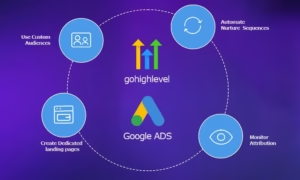
1. Use Custom Audiences

GoHighLevel allows you to send CRM contact information automatically to Facebook Custom Audiences for retargeting and lookalike advertising purposes. The following smart lists can be created: 

  • Booked a call but didn’t buy 
  • Opened email but didn’t schedule 
  • High-value clients 

The marketing strength of gohighlevel emerges through the process of matching audience targeting with CRM behavioral data.

2. Automate Nurture Sequences  

Through GoHighLevel Workflows you can establish automated follow-ups for leads who originate from ads. The standard sequence of nurture operations includes the following steps: 

  • Day 0: Send SMS + Email 
  • Day 2: Call reminder 
  • Day 4: Follow-up email with case study 
  • Day 6: Facebook retargeting 

Through go high level automation you can develop conversion sequences that transform cold prospects into dedicated clients while requiring no human intervention.

3. Create Dedicated Landing Pages  

Establish separate funnel pages which direct traffic from both Facebook and Google platforms. The messaging and CTAs for each audience segment must correspond to their specific ad copy and user intentions.

4. Monitor Attribution  

The reporting tools in GoHighLevel enable you to track which campaigns along with their sources deliver actual results. The integration with Google Analytics and GA4 enables a broader understanding of your entire operation. 

Final Thoughts 

The combination of GoHighLevel with Facebook and Google Ads creates a powerful automated marketing system which surpasses basic lead generation capabilities. The integration connects traffic generation with lead acquisition and subsequent follow-up and sales processes. 

The integration between GoHighLevel and paid advertising platforms enables multiple client account management for marketing agencies and local service businesses to achieve higher ROI. 

Begin by linking Facebook leads to your pages and then implement GTM before developing automated workflows for every phase of customer interaction. The correct implementation makes your GoHighLevel dashboard function as the central hub for performance-based automated marketing campaigns and ROI-enhancing strategies. 

Contact a certified GoHighLevel expert for assistance with setting up your agency or business systems. Your business can achieve maximum advertising ROI through streamlined gohighlevel marketing systems with the help of certified GoHighLevel experts. 

GoHighLevel vs Click Funnels: Which One Should You Use in 2025

GoHighLevel vs Click Funnels: Which One Should You Use in 2025?

Digital marketing and automation tools now rely on two dominant platforms called GoHighLevel and ClickFunnels which help businesses expand their customer reach and automate sales and customer journey processes. The following comprehensive evaluation between these two platforms will assist you in selecting the best investment for your business in 2025. 

These platforms share the objective of automating marketing and sales funnels but execute their functions through distinct approaches. The following sections detail all features of both platforms together with their advantages and disadvantages and identify appropriate user groups. 

1. Understanding the Platforms

What is GoHighLevel? 

The all-in-one sales and marketing platform GoHighLevel serves primarily as a solution for agencies. Under one platform GoHighLevel provides CRM services together with email and SMS marketing features and sales funnel creation tools and booking systems and survey and form functionalities and pipeline management and white-labeling capabilities and automation features. 

The main purpose of GoHighLevel exists to consolidate all technology tools most agencies manage (Calendly, Mailchimp, HubSpot, ClickFunnels, and Zapier) into a unified platform. 

What is ClickFunnels? 

The platform ClickFunnels specializes in constructing sales funnels alongside creating landing pages as its main functionality. ClickFunnels revolutionized the process of funnel creation for entrepreneurs and marketers through its code-free platform which was established by Russell Brunson. The platform serves course creators and coaches and consultants and product-based businesses which aim to sell their products online. 

2. Key Features Comparison

The following analysis demonstrates how GoHighLevel and ClickFunnels compare in their respective features. 

Feature GoHighLevel ClickFunnels 

Funnel Builder ✅ Yes ✅ Yes 

CRM ✅ Built-in ❌ Not Included 

Email/SMS Marketing ✅ Yes (unlimited with Twilio integration) ✅ Yes (limited) 

Calendar Booking ✅ Yes ❌ No 

Automation/Workflows ✅ Yes (Advanced) ✅ Basic (in CF 2.0) 

Membership Sites ✅ Yes ✅ Yes 

White-Labeling ✅ Yes ❌ No 

Pipeline Management ✅ Yes ❌ No 

Mobile App ✅ Yes ❌ No 

Integrations ✅ Built-in tools + API/Zapier ✅ Yes (via integrations) 

Pricing Starting at $97/mo Starting at $147/mo 

User Interface and Ease of Use

3. User Interface and Ease of Use

ClickFunnels achieves superior simplicity compared to other platforms. The platform features a drag-and-drop tool that makes it simple for anyone including non-tech users to build funnels. Users who need to develop sales funnels quickly and easily should use ClickFunnels because it provides an exceptional user interface. 

The learning curve for GoHighLevel is slightly longer but provides extensive capabilities for users. The unified dashboard becomes an extremely powerful tool for marketing teams and agencies after initial setup. The platform’s extensive capabilities result from its features rather than its user-friendliness. 

Verdict:
Starters and independent business owners should choose ClickFunnels because of its simple interface. 

The platform of choice for agencies along with teams should be GoHighLevel because it offers deep features along with scalability capabilities. 

4. Funnel Building Capabilities

The platforms allow users to construct advanced funnels through different operational approaches: 

ClickFunnels provides its users with numerous pre-built templates together with built-in funnel designs for opt-ins and webinars and sales pages. Users can customize the platform with ease through its user-friendly interface which specializes in conversion design. 

GoHighLevel features a funnel builder which operates within an expansive platform that combines automation capabilities with contact tracking and form/survey embedding and pipeline synchronization functions. 

The best platform for simple funnel building remains ClickFunnels. The automation process from lead to conversion to follow-up works better with GoHighLevel when you need to automate the entire lifecycle. 

5. Automation and Workflows

Here’s where GoHighLevel shines. 

The Workflow Builder system of GoHighLevel operates similarly to advanced systems found in ActiveCampaign and HubSpot. Users can develop elaborate automation sequences that link email/SMS actions with task delegation and pipeline stage transitions and appointment scheduling functions. The system enables users to set automation triggers through customer behavioral patterns. 

ClickFunnels provides basic automation features through email sequences and button-click actions although it does not match the comprehensive CRM features and multi-step automation capabilities of GoHighLevel. 

The platform provides superior automation capabilities because GoHighLevel stands significantly above the rest in this aspect. 

CRM and Contact Management

6. CRM and Contact Management

A full-featured CRM system comes standard with GoHighLevel. The system allows users to track leads and their communications and assign tags and build pipelines and execute other tasks. The system works best for agencies dealing with numerous clients alongside their sales representatives. 

The CRM functionality is absent from ClickFunnels. The implementation of HubSpot, Zoho, or Pipedrive tools will provide CRM functionality yet it will enhance both price points and system complexity. 

7. Pricing Comparison (2025 Plans)

The 2025 pricing structure of ClickFunnels contains three plans. 

  • Basic Plan: $147/month 
  •  Pro Plan: $197/month 
  •  Funnel Hacker Plan: $297/month 

The email marketing tool Follow-Up Funnels from ClickFunnels increases the total cost of the system when used as an add-on. 

The GoHighLevel pricing model includes a  

  • Starter Account priced at $97 per month. 
  •  The Agency Unlimited Plan from GoHighLevel offers unlimited accounts together with white-label features for $297 per month. 
  •  SaaS Pro: $497/month (White-label SaaS tools, rebilling options) 

GoHighLevel provides greater value to agencies that manage multiple clients even though ClickFunnels becomes costly with additional features.

8. White-Labeling and Client Management

This is a massive win for GoHighLevel. 

The Agency Unlimited Plan from GoHighLevel enables complete white-labeling through domain customization and branding alongside mobile application availability. Through this platform you can provide your SaaS service to clients under your brand. 

The platform lacks white-labeling capabilities and tools to handle multiple client accounts within one account. 

The GoHighLevel platform functions as a profit-generating system for both agencies and freelancers. The platform enables you to sell software alongside your services through your branding. 

Customer Support & Community

9. Customer Support & Community

The Funnel Hacking Live event and many training resources exist within the extensive and vocal ClickFunnels community. The support team answers requests effectively but slower responses occur during lower-tier plan periods. 

 The Facebook community of GoHighLevel has grown significantly while offering 24/7 live chat support and video training as well as weekly webinars. Their agency-focused approach provides better support for long-term business expansion. 

10. Pros and Cons

✅ GoHighLevel Pros 

  • All-in-one tool for agencies 
  •  CRM, email/SMS marketing, and funnels included 
  •  Powerful workflow automation 
  •  White-labeling and SaaS resale options 
  •  Mobile app available 
  •  Excellent value for price 

❌ GoHighLevel Cons 

  • Steeper learning curve 
  • Overwhelming for solo users or funnel beginners✅ ClickFunnels Pros 
  • Very easy to use and launch funnels quickly 
  •  Proven, high-converting templates 
  •  Good for solopreneurs, course creators, and product launches 
  •  Large community and support 

❌ ClickFunnels Cons 

  • No built-in CRM 
  •  Limited automation 
  •  Expensive with add-ons 
  •  Not ideal for agencies managing multiple clients 

11. Who Should Use GoHighLevel in 2025?

You should consider GoHighLevel if: 

  •  You run a digital agency or want to offer SaaS services 
  •  You manage multiple clients and campaigns 
  •  You need deep automation, CRM, and workflow functionality 
  •  You want to white-label and sell under your brand 
  •  You’re looking for a scalable, all-in-one system 

12. Who Should Use ClickFunnels in 2025?

You should consider ClickFunnels if: 

  •  You’re a solopreneur, coach, or creator launching online offers 
  •  You need quick-to-build sales funnels with minimal learning 
  •  You don’t need CRM or deep automation 
  •  Your focus is solely on marketing pages and funnels 

Final Verdict: GoHighLevel vs ClickFunnels 

The 2025 market saw GoHighLevel advance as a significant alternative to ClickFunnels as well as full CRMs and marketing automation systems. The platform matches best with agencies together with freelancers and marketers who need to handle numerous clients and build SaaS-type operations. 

 ClickFunnels maintains its position as a top marketing tool for creators and marketers who need basic yet effective funnel solutions without managing complex backend operations. 

When selecting between these two options, you must consider the following decision factor: 

  • Choose GoHighLevel for complete marketing solutions along with CRM and automation systems. 
  • The best solution depends on whether you require quick funnel development and solo marketing efforts through ClickFunnels or full-stack marketing capabilities of GoHighLevel. 

Do you need assistance with GoHighLevel setup for your agency or business? 

The GoHighLevel Expert Services team helps you establish your funnel alongside CRM and automation integration into a single system. 

How to Set Up a Lead Generation Machine Using GoHighLevel

How to Set Up a Lead Generation Machine Using GoHighLevel (GHL) 

Businesses operating in the competitive digital environment need to implement automation tools that simultaneously reduce time consumption and boost efficient client acquisition. The all-in-one platform GoHighLevel (GHL) functions as a powerful solution which helps agencies together with businesses establish a streamlined lead generation engine. The setup of a lead generation system in GoHighLevel brings substantial advantages to freelancers and agency owners and local businesses which enhance their conversion rates and minimize manual work to drive steady growth. 


A step-by-step procedure exists to develop your personal lead generation system inside GoHighLevel. 

Step 1: Define Your Lead Generation Goals and Audience 

Any system needs clarity before its creation. 

  •  Target Audience: Who are you trying to attract? Determine your market specialization as well as the fields of operation and specific population segments. 
  •  Lead Type: Do you need cold leads, marketing-qualified leads (MQLs), or sales-qualified leads (SQLs)? 
  •  Goal: What is your goal regarding generating leads? Are you collecting leads for appointments or service demos or product trials or newsletter signups? 

 You can create focused landing pages and workflows and automation in GoHighLevel when you understand these components to deliver high-converting and relevant leads. 

Step 2: Create a High-Converting Funnel or Landing Page

The platform GoHighLevel lets users create professional landing pages without requiring any coding expertise. Here’s what to include: 

  •  Headline and Subhead: Clearly communicate the offer and its benefit. 
  •  Lead Magnet: Offer something valuable (e.g., free consultation, checklist, eBook). 
  •  The system includes form and CTA buttons which use GHL tools to collect information such as names along with email addresses and phone numbers and service preferences. 
  •  Trust Elements: Include testimonials, reviews, case studies, or certifications. 
  •  Thank You Page: Set up a customized thank-you page that either books an appointment or pushes the lead into the next step. 

Through GHL’s A/B testing capability users can test different versions of their funnel simultaneously to maximize conversion rates throughout time. 

Step 3: Integrate GHL Forms and Calendars 

The main method to obtain and evaluate leads is through forms and calendars. 

  •  You can create customized forms within GHL which you can add to your landing pages. 
  •  Users can schedule appointments instantly by using your GHL-integrated calendar system. The system allows you to link it with Google Calendar or Outlook to prevent scheduling conflicts. 

Every new lead automatically enters your system without requiring any manual data entry. 

Automate Follow-Ups with Workflows

Step 4: Automate Follow-Ups with Workflows 

This is where the magic happens. Through Workflows GHL enables you to automate the complete process of lead nurturing. 

 The platform provides users with automation features that include: 

  • Immediate Email or SMS Acknowledgement: “Thanks for signing up!” 
  • Drip Campaigns: Send a series of emails/SMS over days or weeks to build trust. 
  • The system sends reminders about appointments through both email messages and text messages. 
  • Tagging & Lead Scoring: Use tags and custom values to categorize hot vs. cold leads. 

An automated system should send a few-day follow-up message to leads who completed your form but did not schedule a call. 

Example Workflow: 

  1. Trigger: New Form Submission 
  2. Send Email #1 (Lead Magnet) 
  3. Wait 1 Day 
  4.  Send SMS (Reminder to Book Call) 
  5.  If booked → Send confirmation email 
  6.  If not booked in 3 days → Assign to sales rep and send manual follow-up task 

Step 5: Use Pipelines to Track Lead Progress 

The Pipeline tool (found under Opportunities) in GHL provides a visual interface to monitor lead positions across your sales funnel. 

 The pipeline consists of stages that include: 

  1.  New Lead 
  2.  Contacted 
  3.  Booked Call 
  4.  No Show 
  5.  Closed – Won 
  6.  Closed – Lost 

The system enables automated actions when leads advance down the sales pipeline so when a contact reaches “Booked Call” the email drip sequence stops and a confirmation workflow begins. 

Connect a CRM and Centralize Lead Data

Step 6: Connect a CRM and Centralize Lead Data 

The CRM features of GoHighLevel enable users to handle all their leads from within the platform. 

 Key features: 

  •  Contact Profiles: See every interaction, tag, appointment, and message in one place. 
  •  A proper management system needs to be established for assigning tasks to sales representatives as well as customer service personnel. 
  •  Smart Lists: Filter contacts based on criteria like tags, last interaction, or campaign status. 

 All contacts become visible to the team which makes follow-ups easier and prevents losing any contact during the process. 

Step 7: Run Paid Campaigns and Capture Leads Automatically 

The GHL platform provides native integrations and webhooks which make it simple for Google Facebook and Instagram ad connection. 

  •  Connect your ad account. 
  •  Sync your lead forms. 
  •  The system can trigger a workflow automatically whenever it detects a new ad lead coming into the system. 

You do not need any additional tools such as Zapier or CSV import methods because of this feature. 

Enable Two-Way Communication Channels

Step 8: Enable Two-Way Communication Channels 

GoHighLevel supports omnichannel outreach, including: 

  •  Email 
  •  SMS 
  •  Facebook Messenger 
  •  Instagram DM 
  •  Google Business Messages 
  •  WhatsApp (via Twilio) 

 You can engage leads where they’re most active and increase the likelihood of conversion. Users can find prepared response templates which enable quick responses for both FAQs and follow-up messages. 

Step 9: Use Reporting to Optimize Performance 

A lead generation system needs performance tracking to be complete. 

  •  GHL provides insights such as: 
  •  Funnel Conversion Rates 
  •  Email Open/Click Rates 
  •  Pipeline Value and Conversion 
  •  ROI per Campaign 
  •  Missed Call/Text Rates 

 Using these metrics enables you to both enhance your successful strategies and solve your ineffective processes. 

Step 10: Scale with White-Labeling and Team Management 

Agencies that use GoHighLevel can generate leads for multiple clients through its features that include  

  • White-label dashboards 
  • Multi-account management 
  • Automated client onboarding workflows  
  • User roles and permissions for their team 

This makes GHL not just a lead-gen tool — but a true client success engine. 

Final Thoughts 

GoHighLevel’s lead generation machine functions by joining effective assets with intelligent automation systems. The platform provides you with complete funnel management abilities starting from lead capture until conversion through its single platform. GoHighLevel stands as a revolutionary solution for businesses and agencies which seeks to generate continuous leads with minimal human involvement. 

The investment of time for creating a GHL-powered lead generation system will generate ongoing compounding benefits for your business. 

Are you in need of help to establish your GoHighLevel lead generation system? 

Contact certified experts or agencies who specialize in GHL automation and onboarding to receive assistance. The setup process allows you to start working right away while you dedicate more time to lead conversions than lead acquisition. 

Best GoHighLevel Workflows to Streamline Client Onboarding

Best GoHighLevel Workflows to Streamline Client Onboarding 

The initial business connection depends heavily on client onboarding since it determines how your professional relationship will unfold. A properly automated and structured onboarding process both enhances client satisfaction and minimizes manual work while decreasing client departure rates. Through GoHighLevel CRM and automation platform your organization can develop workflow solutions which convert disorderly onboarding into an organized professional framework. 

This article presents GoHighLevel workflows for efficient client onboarding that include templates and strategic advice to enhance agency operations.  

Why Client Onboarding Automation Matters

Why Client Onboarding Automation Matters 

Before we explore the GoHighLevel workflows it is essential to understand the transformative power of automating client onboarding. 

  •  The automated system eliminates the need for manual email distributions as well as asset collection and task assignments. 
  •  Every client experiences a high-quality experience because of standardized procedures. 
  •  The process of clear onboarding leads to immediate client trust establishment. 
  •  Automated branded communication systems and scheduled reminders enhance your agency’s professional image by creating a polished and dependable perception.

1. Client Welcome & Account Setup Workflow

A first impression makes the strongest impact in every situation. A new client or contact added to your CRM should trigger an immediate Client Welcome Workflow. 

Components: 

Trigger: A trigger is activated when a new contact enters the pipeline or receives the “New Client” tag.  

  • Action 1: The workflow delivers a customized welcome email containing individualized content and instructions to new clients. 
  • Action 2: Add to onboarding pipeline stage 
  • Action 3: Assign internal team member or account manager via task 
  • Action 4: Add to onboarding call calendar link 
  • Action 5: Send SMS with a warm welcome and link to scheduling page 

Bonus Tip: 

The ability to add custom values in GoHighLevel enables email personalization through client names and company details as well as project descriptions. Your automated workflow receives improved engagement because of these personalized touches. 

2. Onboarding Form & Asset Collection Workflow

The process of collecting project materials along with brand assets and credentials proves to be quite time-consuming. Use GoHighLevel forms inside your workflow to automate this collection process. 

Components: 

Trigger: Tag “Assets Needed” triggers the workflow to begin. 

  •  Action 1: The system will deliver an email containing a secure form to obtain brand assets as well as login credentials and project intake questionnaire information. 
  • Action 2: Wait until form submission 
  • Action 3: Notify internal team via email or Slack integration 
  • Action 4: Automatically move contact to “Assets Collected” stage 

Tools to Use: 

  • GHL Forms + Custom Fields 
  • Conditional Waits 
  • Webhooks or Zapier if external tools (like Drive/Dropbox) are used 

3. Kickoff Call Booking Workflow 

Following form submission clients must proceed to schedule their kickoff call. The integration of GoHighLevel’s built-in calendar system enables effortless scheduling. 

 Components: 

Trigger: Form submission or tag “Kickoff Call Needed” 

Action 1: Send email and SMS with calendar link to book kickoff call

Action 2: Set task reminder for account manager to prepare 

Action 3: Send pre-call agenda or onboarding deck 

Action 4: Move client to “Kickoff Call Scheduled” stage 

Optimization Tip: 

A round-robin calendar should be used when there are several onboarding specialists or account managers who need to participate. 

4. Internal Onboarding Checklist Workflow

The client completes their assigned tasks while your internal team receives notifications about their preparation requirements. A separate workflow for internal use will run independently from the main onboarding process. 

 Components: 

Trigger: Same as client onboarding (New Client tag) 

  •  Action 1: Assign tasks to team members (CRM setup, email integration, project board creation)
  • Action 2: Create Google Sheet/ClickUp card using Zapier 
  • Action 3: Send Slack alert to the onboarding team 
  • Action 4: Wait until all internal tasks are marked complete (or use manual stage advancement) 

Tools to Integrate: 

  • ClickUp, Trello, Asana (via Zapier) 
  • Slack notifications 
  • Task automation inside GoHighLevel

5. Client Education & Nurturing Workflow

At the start of their journey most clients experience a state of confusion. The onboarding process should include drip emails combined with educational video tutorials for client guidance. 

Components: 

Trigger: Tag “Onboarding Education” 

Action 1: Send Day 1: Platform walkthrough video 

Action 2: Send Day 2: FAQs and how to reach support 

Action 3: Send Day 3: Tips for getting the most value 

Action 4: Add to recurring newsletter or updates list 

Extra Strategy: 

At this stage, you should include testimonials, success stories or bonus templates to create excitement and motivation. 

6. 30-Day Check-In Workflow

Client onboarding is not finished once the kickoff takes place. A 30-day check-in can assist in sustaining momentum and solving initial issues. 

Components: 

Wait until the New Client tag has been active for 30 days before triggering the action. 

 Action 1: Send a personalized “How’s it going?” email 

 Action 2: Include survey link or Net Promoter Score (NPS) form 

 Action 3: Notify success team for follow-up if negative feedback 

 Action 4: Move client to long-term nurture pipeline 

 Pro Tip: 

The use of dynamic survey scoring will allow you to automatically assign tags to clients based on their sentiment. Happy clients? Trigger a referral request workflow. 

7. Client Offboarding / Handoff Workflow (Optional)

If you are working on short-term projects, having an offboarding workflow in place shows professionalism and keeps your CRM organized. 

 Components: 

When the “Project Complete” pipeline stage is reached or when the “Offboarding” tag is applied. 

  • Action 1: Send thank-you email with case study/review request 
  • Action 2: Remove from onboarding workflows 
  • Action 3: Add to re-engagement list for future services 

How to Build These Workflows in GoHighLevel

How to Build These Workflows in GoHighLevel

GoHighLevel Workflow Builder allows new users to drag and drop the components needed to build these workflows. You can: 

  • Create templates for repeat use
  • You can use conditional logic to determine the client type (retainer, project, etc.) before branching. 
  • Apply triggers based on tags, pipeline stages, or form submissions 
  • Assign roles and permissions for each team member to own their part of the process 

Final Thoughts 

The investment of time to create these GoHighLevel onboarding workflows during the initial few hours will bring significant long-term benefits by saving time and enhancing client satisfaction. 

 A well-designed onboarding workflow cuts down on manual work, provides excellent client care and lets you dedicate your time to developing strategies and expanding operations. 

 These workflows can be adapted to any business model whether you operate as a marketing agency, SaaS startup or freelancer. If you want to implement these workflows but do not have the time or expertise, consider hiring a GoHighLevel expert to set them up properly from the start. 

GoHighLevel CRM Explained: Features, Benefits, and Use Cases

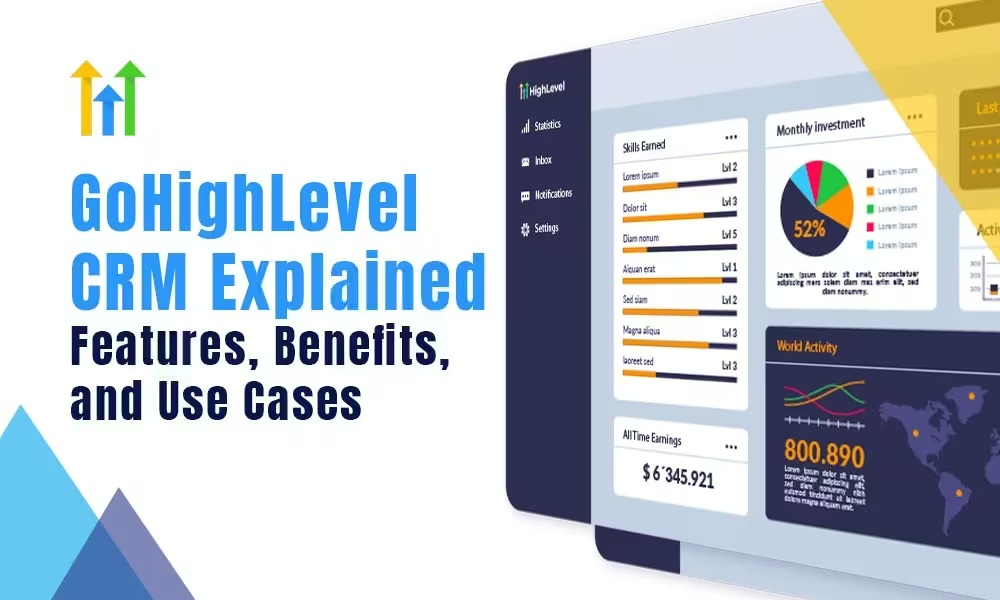
GoHighLevel CRM Explained: Features, Benefits, and Use Cases 

Customer Relationship Management (CRM) platforms have evolved from simple contact databases into powerful ecosystems that drive marketing, sales, and customer service. One standout among modern CRMs is GoHighLevel—a robust, all-in-one platform designed for digital marketers, agencies, and small-to-medium-sized businesses. But what exactly is GoHighLevel CRM? What sets it apart from traditional CRMs? And how can businesses leverage it for real growth? 

This article explores the features, benefits, and use cases of GoHighLevel CRM to help you decide if it’s the right tool for your business. 

What Is GoHighLevel CRM? 

GoHighLevel is an all-in-one CRM and marketing automation platform tailored specifically for digital marketing agencies and small-to-medium-sized businesses. It combines features typically spread across multiple tools—like sales funnel builders, email marketing platforms, SMS automation, and appointment scheduling—into one centralized system. A GoHighLevel expert can help unlock the full potential of this platform for businesses looking to scale fast. 

Instead of paying for multiple services like ClickFunnels, Mailchimp, Calendly, and Pipedrive, users can manage their workflows using just GoHighLevel. This consolidation not only reduces cost but also simplifies the user experience. 

Key Features of GoHighLevel CRM

Key Features of GoHighLevel CRM 

    1. Pipeline and Lead Management
      GoHighLevel offers a visual sales pipeline that allows you to track leads at every stage of your sales funnel. You can customize pipelines for different services or client types and automate actions like follow-ups and lead nurturing. A GoHighLevel expert can help tailor these pipelines for your specific industry needs.
    2. Marketing Automation
      One of GoHighLevel’s standout features is its powerful automation engine. It supports:

      • Email sequences
      • SMS drip campaigns
      • Voice drops
      • Messenger bots
      • Triggers and workflows based on user behaviour or CRM status

This enables businesses to automate the entire customer journey—from lead capture to conversion.

3. Funnel Builder and Landing Pages
Forget using third-party tools like ClickFunnels or Leadpages. GoHighLevel includes its own drag-and-drop funnel and landing page builder, complete with templates, custom domains, and A/B testing options. 

4. Appointment Booking and Calendars
Integrate calendars for your team or clients, and allow leads to book appointments directly through your funnels or website. Automated reminders via SMS or email help reduce no-shows and increase conversions.

5. Reputation Management
Manage online reviews directly from the dashboard. You can send review requests to clients, monitor Google and Facebook reviews, and respond—all within the platform.

6. Two-Way Communication Hub
All client communications—including emails, SMS, phone calls, and Facebook messages—are centralized in a unified inbox. This ensures faster response times and better customer interactions.

7. White Label SaaS Mode
Agencies can rebrand GoHighLevel and offer it as their own software solution. You get your own domain, branding, and billing infrastructure—transforming your agency into a SaaS business overnight.

8. CRM + Membership Site Integration
With built-in support for membership sites, you can create gated content, manage user access, and deliver online courses—all integrated with your CRM and marketing automation. 

Benefits of Using GoHighLevel CRM

Benefits of Using GoHighLevel CRM

✅ All-in-One Efficiency 

GoHighLevel eliminates the need to juggle multiple tools (CRM, email marketing, booking apps, funnel builders, etc.). This not only saves costs but also improves team efficiency and reduces tech fatigue. 

✅ Agency-Centric Features 

Built with agencies in mind, GoHighLevel allows you to manage multiple clients from a single dashboard, run reports, set user permissions, and even resell the platform as your own software. 

✅ Automation Saves Time 

Marketing automation is a game-changer. GoHighLevel’s workflows reduce the need for manual outreach, follow-ups, or lead nurturing—freeing your team to focus on closing deals or delivering services. 

✅ Customizable and Scalable 

Whether you’re a freelancer, a small agency, or a large service provider, GoHighLevel scales with you. You can add custom fields, create specific workflows, and tailor the CRM to your exact needs. 

✅ Improved Lead Conversion 

By integrating landing pages, calendars, pipelines, and automated follow-ups, GoHighLevel provides a seamless lead-to-client experience that improves conversion rates significantly. 

✅ White-Label Revenue Opportunity 

Turn your agency into a software provider by offering GoHighLevel’s tools under your own brand. This opens up recurring revenue opportunities and positions your agency as a tech-forward business.


Top Use Cases for GoHighLevel CRM

Top Use Cases for GoHighLevel CRM 

🏢 Marketing Agencies 

Agencies use GoHighLevel to manage clients, run multi-channel marketing campaigns, automate reporting, and even offer a white-label CRM platform to clients. It’s a comprehensive backend for agency operations. 

👩‍⚕️ Service-Based Businesses 

Coaches, consultants, realtors, and salons use GoHighLevel to schedule appointments, follow up with leads via text or email, and automate their sales process from inquiry to payment. 

🎓 Online Course Creators 

By using the membership site feature, online educators can host gated content, manage students, and automate email/SMS notifications—without needing separate LMS tools. 

🏥 Local Businesses 

Dentists, chiropractors, fitness centers, and restaurants benefit from GoHighLevel’s local SEO tools, review management system, and appointment scheduling—keeping customer engagement high and operations smooth. 

💻 Freelancers and Solopreneurs 

For individuals juggling marketing, sales, and client communications, GoHighLevel offers a centralized platform to manage everything efficiently. 

Why Startups Should Consider GoHighLevel 

Startups often face the challenge of growing fast with limited resources. GoHighLevel is an ideal CRM for startups because it: 

      • Combines marketing, CRM, and communication tools into one affordable platform 
      • Offers automation to reduce manual tasks 
      • Scales with your team and customers 
      • Helps build branded funnels and client experiences without costly dev work 

Additionally, GoHighLevel’s SaaS mode allows startups in the tech or agency space to productize their services by turning their business into a subscription software model. 

Final Thoughts 

GoHighLevel isn’t just another CRM—it’s a full-fledged business growth platform that merges marketing, sales, and client management under one dashboard. Its features are especially tailored for agencies, consultants, and service businesses that need powerful automation, lead tracking, and client communication tools without the need for a dozen integrations. 

Whether you’re launching a startup, growing a marketing agency, or scaling a service-based business, GoHighLevel CRM offers the tools you need to manage, market, and multiply your customer relationships effectively.

How to Use GoHighLevel to Automate Your Entire Sales Funnel

How to Use GoHighLevel to Automate Your Entire Sales Funnel 

Business growth requires the implementation of sales funnel automation systems beyond their status as trends. Your ability to manage leads along with their follow-ups and bookings and nurturing efforts will become limited when you operate manually. The solution comes from GoHighLevel. This all-in-one marketing platform enables you to automate your sales funnel process from lead capture through customer conversion with maximum efficiency. 

The guide shows you how GoHighLevel enables complete sales funnel automation while making your digital marketing efforts generate revenue. 

Why Automate Your Sales Funnel

Why Automate Your Sales Funnel? 

Before we examine GoHighLevel functionality it is important to grasp the advantages of sales funnel automation. 

  •  The system eliminates repetitive tasks which helps you conserve time along with reducing manual work. 
  •  Follow-ups made at suitable times through personalized communication help raise conversion numbers. 
  •  The system enables automated lead nurturing by sending drip email and SMS sequences at scale. 
  •  The system provides thorough performance tracking features with complete reporting analytics capabilities. 
  •  The delivery of uniform customer experiences becomes possible through all touchpoints. 

Let’s examine how GoHighLevel supports automation of each section within your sales funnel structure. 


1. Lead Generation: Capture Leads Using Funnels and Forms

The initial phase requires an entry point which allows potential customers to begin their journey. The platform provides users with easy drag-and-drop funnel builders together with landing page creators and custom forms to build this process. 

How to Automate Lead Capture: 

  • Use Funnels: Build a landing page or a sales funnel with opt-in forms, lead magnets, or webinar registration. 
  •  Place forms or surveys directly onto your website or sales pages to receive automatic contact information collection. 
  •  Once a form is completed by a lead GoHighLevel transfers their contact data directly to your CRM pipeline. 

Pro Tip: The process of assigning lead tags according to source or behavior allows you to deliver personalized experiences at the advanced stages of the sales funnel. 

2. Lead Nurturing: Set Up Email & SMS Drip Campaigns 

After capturing leads it becomes vital to maintain their active interest. GoHighLevel enables you to establish automatic drip sequences that utilize both email and SMS to maintain lead engagement until they become conversion ready. 

How to Nurture Leads Automatically: 

The workflow builder enables you to establish triggers for messages that operate based on time delays as well as behaviors (like link clicks) or tags. 

  •  Send Personalized Messages: Use dynamic fields (like {first_name}) to personalize communication. 
  •  Multi-Channel Sequences: The system allows you to unify email and SMS and voicemail drops and Facebook Messenger into a unified nurturing sequence. 
  •  The main objective of this approach is to convert inactive leads into actively engaged prospects through automated procedures.

Appointment Booking: Automate Your Sales Calls

3. Appointment Booking: Automate Your Sales Calls

Through its calendar integration GoHighLevel enables lead self-appointment booking which reduces the need for email exchanges. 

 Booking Automation Includes: 

  • Calendar Integration: Sync with Google Calendar or Outlook. 
  •  Smart Booking Links: The system allows leads to select their preferred appointment time slots. 
  •  Automated Reminders: Your system should deliver SMS and email notifications to decrease the number of no-shows. 
  •  Follow-Up Triggers: The system triggers automatic contact attempts with unbooked leads. 

Workflow Example: Lead fills out a form → gets an automated email with booking link → books call → receives reminders → added to post-call follow-up sequence. 

4. Sales Pipeline: Visualize and Automate Movement Through Stages

The Pipeline CRM feature of GoHighLevel helps you monitor each lead’s position in the sales funnel. Each stage of your pipeline can receive automation functions. 

Pipeline Automation Tactics: 

  • Auto-Move Leads: Leads will transition between pipeline stages when they complete specific actions such as booking calls or opening emails. 
  • The system allows your team to receive follow-up assignments for each pipeline stage. 
  • Conditional Workflows: Send different messages based on pipeline stage or contact behavior. 

 A lead booking discovery calls will trigger an automatic movement from “New Lead” to “Discovery Call Scheduled” stage. 

5. Follow-Ups: Reactivate Cold Leads Automatically

Not every lead will convert right away. GoHighLevel’s automation features enable the development of reactivation campaigns. 

Effective Follow-Up Strategies: 

  • Re-engagement Emails: Send sequences to leads who haven’t responded in X days. 
  •  Special Offers: Use urgency-based campaigns (like “last chance” offers). 
  •  Survey Follow-Ups: Ask leads why they didn’t convert and retarget accordingly. 

Automation Hack: Use tags and conditional logic to only send offers to qualified but inactive leads. 

6. Conversion & Post-Sale: Onboarding and Upselling 

The GoHighLevel platform assists businesses in handling customer onboarding and upselling processes. 

Post-Sale Automation Options: 

  • Onboarding Emails: Automatically send login info, welcome guides, and how-to videos. 
  •  Feedback Requests: Trigger a survey or review request after a few days. 
  •  Upsell Campaigns: Based on the initial purchase, upsell complementary services. 

Example: A client signs up for a 1-month service → automated email offers a discounted 3-month plan → booking or payment triggered directly from email. 

7. Reporting & Optimization: Let Data Guide Your Growth 

Any automation system requires complete data measurement to function properly. GoHighLevel provides its users with analytical tools that reveal open rate statistics along with booking rate data and conversion rate metrics and pipeline performance indicators. 

Reporting Features: 

  • Campaign Metrics: See how each email/SMS performed. 
  •  Funnel Analytics: Measure drop-off rates at each stage. 
  •  Lead Source Tracking: Identify which campaigns bring high-converting leads. 
  •  Custom Dashboards: Track KPIs like revenue, appointments, or close rates. 

Your funnel performance will continuously improve through A/B testing on your emails and landing pages according to this optimization tip. 

Final Thoughts 

Using GoHighLevel to automate your sales funnel functions as both a strategic business growth plan and a smart business move. Through its complete features your business achieves better lead engagement and generates dependable revenue while freeing up your time. 

All businesses from digital agencies to coaches and real estate experts and SaaS entrepreneurs find success through the automated sales ecosystems of GoHighLevel. 

GoHighLevel offers the perfect opportunity for you to design your sales funnel while automation handles the rest. 

GoHighLevel Developer – The Ultimate Guide to Resources, Hiring Expertise

GoHighLevel Developer: The Ultimate Guide to Resources, Hiring & Expertise  

GoHighLevel (GHL) has rapidly become the quintessential all-in-one platform for marketing agencies and businesses seeking to consolidate their marketing, sales, and CRM efforts. Its comprehensive suite of tools offers unparalleled opportunities for lead generation, nurturing, automation, and client management. However, to truly harness the platform’s power and adapt it to the most intricate business models, one often requires the specialized skills of a GoHighLevel developer. 

This ultimate guide will serve as your definitive resource for understanding what a GoHighLevel developer does, where to find official GHL development resources, how to identify and hire top-tier talent, and why investing in GHL development expertise can be a transformative step for your business. 

What is a GoHighLevel Developer? 

A GoHighLevel developer is a specialist who possesses in-depth knowledge of the GoHighLevel platform’s architecture and capabilities. Unlike a typical user or administrator, a developer delves into the technical underpinnings, leveraging GoHighLevel’s APIs, webhooks, and custom code functionalities to build bespoke solutions. Their role extends beyond merely configuring existing features; they innovate, integrate, and customize GoHighLevel to meet highly specific business requirements, automate complex workflows, and integrate seamlessly with external systems. 

In essence, they are the engineers who can mold GoHighLevel into a truly unique and highly efficient machine tailored to your exact operational and marketing needs. 

Official GoHighLevel Developer Resources & Documentation

Official GoHighLevel Developer Resources & Documentation 

For anyone looking to become a GoHighLevel developer or understand the platform’s extensibility, GoHighLevel provides several official resources. These are crucial starting points for technical exploration and development. 

GoHighLevel API: Versions 1.0 and 2.0 

GoHighLevel offers a robust API (Application Programming Interface) that allows developers to interact with the platform programmatically. Understanding the nuances of each version is key to successful integration. 

  • API 1.0: The initial version of the API provides comprehensive access to many of GoHighLevel’s core functionalities, enabling developers to manage contacts, opportunities, campaigns, and more. While still functional, developers are increasingly encouraged to utilize the newer version for enhanced security and features. You can explore the API 1.0 Docs for detailed endpoints and authentication methods.
  • API 2.0: The latest iteration, API 2.0, is built on OAuth2 for enhanced security measures and authentication. It offers more advanced endpoints, particularly for “webhook events,” which significantly expand automation possibilities. This version provides a more secure and efficient way to build complex integrations. The API 2.0 Docs provide detailed information on its structure, authentication, and available endpoints. 

API Rate Limits: Both API versions are subject to rate limits to ensure platform stability. Developers can make 100 burst requests per 10 seconds and are limited to 200,000 daily requests. These limits are important considerations when designing integrations and workflows to avoid disruptions. 

Navigating the GoHighLevel Developer Marketplace 

The GoHighLevel Developer Marketplace serves as a hub for innovation within the GHL ecosystem. Its primary purpose is to allow developers to build and list custom applications that agencies and businesses can purchase and integrate into their GoHighLevel accounts. These apps can extend GHL’s native capabilities, offering solutions for advanced workflows, unique automations, and specialized third-party integrations. For developers, it’s a platform to monetize their custom solutions and reach a global audience of GoHighLevel users. 

GoHighLevel Developer Community & Support 

While GoHighLevel offers robust support for general platform usage, developers seeking assistance with specific coding, API issues, or complex integrations should turn to the dedicated community channels. The active HighLevel Facebook Group for Software, Plugins, and API Development is the primary community resource where developers can ask questions, share insights, and collaborate. 

It’s important to note that GoHighLevel’s official support does not offer chat, email support, setup guidance, code auditing, or consultative services for developers regarding custom code or API implementations. They do, however, facilitate bug report submissions for issues related to the core API functionality itself. 

GoHighLevel Subscription Requirements for Developers 

To gain access to the GoHighLevel API and leverage its full development capabilities, users must have a specific subscription plan. The Unlimited Plan ($297/month) is the minimum required tier that provides API access. The entry-level Starter Plan does not include API access, making the Unlimited Plan essential for any serious GoHighLevel developer or agency looking to build custom integrations. 

Key Services Offered by GoHighLevel Developers

Key Services Offered by GoHighLevel Developers 

A GoHighLevel developer’s expertise can unlock a myriad of advanced functionalities for your business. Here are some of the key services they typically offer: 

Custom GoHighLevel Snapshots 

GoHighLevel Snapshots are pre-built templates that encapsulate entire marketing and sales systems, including funnels, landing pages, websites, automation workflows, and messaging templates. They are invaluable for agencies to quickly onboard new clients or for businesses to rapidly deploy proven strategies. 

A skilled GoHighLevel developer can: 

  • Tailor Existing Snapshots: Modify and optimize pre-built snapshots to perfectly align with a business’s unique branding, lead flow, and client journey.
  • Create Bespoke Snapshots: Develop entirely customized snapshots from scratch, designed to meet highly specific operational requirements that generic templates cannot address. This saves significant time and effort in deployment. 

Bespoke Funnels & Websites 

While GoHighLevel’s drag-and-drop builders are powerful, developers can take website and funnel creation to the next level. They specialize in building unique, high-performing solutions that are not only visually appealing but also strategically designed for maximum conversion. This includes: 

  • Developing custom sales funnels and landing pages optimized for specific campaigns.
  • Creating full-fledged websites integrated deeply with GoHighLevel’s CRM, automation, and analytics features. 
  • Leveraging their expertise to ensure high conversion rates, often boasting a track record of success across numerous businesses. 
  • Embedding GHL elements (forms, calendars, surveys) seamlessly into external websites built on platforms like WordPress, Webflow, or Shopify. 

Custom Dashboard Design & Marketplace Development 

Data visualization is crucial for informed decision-making. GoHighLevel developers can transform your GoHighLevel dashboard into a highly customized, insightful command center. They achieve this by: 

  • Creating custom widgets and reports that display key metrics relevant to your specific business operations.
  • Aggregating data from various sources within GoHighLevel and potentially external platforms to provide a holistic view. 
  • Designing intuitive interfaces that enhance decision-making and streamline monitoring for agencies and their clients. 
  • Leveraging GoHighLevel’s custom widget functionality (available on higher plans, typically $497 and above) to pull in specific data points. 

Developers might also build apps for the GoHighLevel Marketplace that include specialized dashboard components or data insights for niche industries. 

White Label & Integration Services 

For agencies utilizing GoHighLevel’s white-label capabilities, developers are indispensable. They provide comprehensive services to ensure your white-labeled CRM operates seamlessly under your brand. This includes: 

  • Customized GoHighLevel CRM Setup: Configuring the CRM to match your operational workflows, including custom fields, pipelines, and user roles. 
  • Industry-Standard Integrations: Setting up and optimizing crucial integrations with essential services like Mailgun (for email delivery), Twilio (for SMS and voice), and Gmail (for email synchronization). 
  • Custom Workflows & Automations: Designing and implementing intricate automation sequences that go beyond basic GoHighLevel triggers, often involving conditional logic and branching paths. 
  • Third-Party Tool Integrations: Connecting GoHighLevel with a vast ecosystem of external tools such as Make.com (formerly Integromat), Zapier, Pabbly Connect, and Email Parser, enabling complex data flows and cross-platform automation. 

Comprehensive API Integration & Webhook Solutions 

The true power of a GoHighLevel developer often lies in their mastery of API integrations and webhook solutions. They can: 

  • Develop custom API connectors to bridge GoHighLevel with almost any other software application, from custom CRMs to e-commerce platforms, accounting software, and analytics tools. 
  • Implement advanced webhook solutions to send and receive real-time data between GoHighLevel and external services, enabling instant actions and data synchronization. 
  • Automate lead distribution, customer onboarding, data enrichment, and reporting by orchestrating complex data flows through APIs and webhooks. 

Marketing Automation & AI Integration 

Staying at the forefront of marketing requires leveraging advanced technologies. GoHighLevel developers are skilled in integrating AI solutions to enhance marketing automation: 

  • ChatGPT & GoHighLevel Integration: A prime example is integrating OpenAI’s ChatGPT with GoHighLevel. Developers can set up systems where ChatGPT generates personalized email templates, SMS messages, or even conversational AI responses based on custom fields and contact data within GoHighLevel. This allows for highly personalized communication at scale, dramatically improving engagement and conversion rates. 
  • Developing AI-powered lead scoring models that use data from GHL to identify high-potential leads. 
  • Implementing dynamic content generation and A/B testing frameworks powered by AI insights. 

How to Hire a GoHighLevel Developer

How to Hire a GoHighLevel Developer 

Finding the right GoHighLevel developer requires a clear understanding of your needs and a structured approach to vetting candidates. 

Essential Skills to Look For 

When assessing a GoHighLevel developer, evaluate both their technical prowess and their soft skills: 

Technical Skills: 

  • Proficiency in GoHighLevel: Deep understanding of all native GHL features, including funnels, websites, CRM, automations, calendars, forms, and surveys. 
  • API & Webhook Mastery: Extensive experience with GoHighLevel’s API (versions 1.0 and 2.0) and practical application of webhooks for data exchange. 
  • Programming Languages: Depending on the complexity of integrations, proficiency in languages like JavaScript, Python, or PHP for custom scripting and server-side development. 
  • Understanding of Data Structures & Algorithms: Essential for efficient data manipulation and robust integration logic. 
  • Experience with Databases: Knowledge of database concepts, especially if custom data storage or complex queries are involved. 
  • Familiarity with Version Control Systems: Experience with Git/GitHub for collaborative development and code management. 
  • Knowledge of Testing & Debugging: Ability to thoroughly test integrations and troubleshoot issues effectively. 
  • Integration Platform Expertise: Hands-on experience with iPaaS tools like Make.com, Zapier, or Pabbly Connect for building no-code/low-code integrations. 

Soft Skills: 

  • Communication: Clear, concise communication is vital for understanding requirements, explaining technical concepts, and providing updates. 
  • Problem-Solving: The ability to analyze complex issues, devise creative solutions, and implement them efficiently. 
  • Time Management: Capacity to manage multiple tasks, prioritize effectively, and meet project deadlines. 
  • Attention to Detail: Meticulousness in coding, configuration, and testing to ensure accuracy and prevent errors. 
  • Adaptability: Willingness to learn new GHL features, integrate with evolving third-party platforms, and adjust to changing project requirements. 

Understanding GoHighLevel Developer Costs & Salaries 

The cost of hiring a GoHighLevel developer can vary significantly based on their experience, the complexity of the project, location, and the engagement model (freelance vs. full-time). 

  • Freelance Hourly Rates: Typically range from $10 to $150 per hour. Highly experienced and vetted freelancers on platforms like Arc.dev often command rates of $60-$100+ per hour. These rates depend on the urgency of the project and the developer’s specialized skills. 
  • Full-Time Salaries (U.S.): While specific GoHighLevel developer salaries are still emerging, general software developer salaries provide a good benchmark. The median annual wage for software developers in the U.S. was approximately $120,730 in May 2021, which equates to roughly $70-$100 per hour when considering a 2080-hour work year, not including benefits or hiring costs. Rates can vary by location (e.g., $75-$95/hour in Eastern Europe or Latin America for remote talent). Annual earnings for a GHL developer can range from $20,000 to $75,000, depending on skill level and experience. 
  • Project-Based Costs: For specific tasks or smaller integrations, project-based fees can range from $350 to $3,000. Many developers also offer ongoing monthly maintenance services for complex setups. 

Vetting Process for Top GoHighLevel Developers 

A thorough vetting process is essential to secure high-quality GoHighLevel talent. Reputable hiring platforms (like Arc) often employ a rigorous multi-step process: 

  1. Profile Screening: Initial review of resumes, portfolios, and experience specifically with GoHighLevel and relevant technologies. 
  2. Behavioral Interviews: Assessing communication skills, problem-solving approaches, and cultural fit. 
  3. Technical Interviews/Pair Programming: Live coding challenges, discussions on API architecture, and problem-solving scenarios to gauge technical depth and practical application of GHL development skills. 

Freelance vs. Full-Time GoHighLevel Developers 

The choice between a freelance and a full-time GoHighLevel developer depends on your project scope, budget, and long-term needs: 

  • Freelance Developers: Ideal for specific projects, short-term engagements, or when you need specialized expertise on demand. 
  • Benefits: Flexibility, access to a global talent pool, often faster hiring. 
  • Typical Timeline: You can often hire a freelance GoHighLevel developer in as little as 72 hours. 
  • Full-Time Developers: Suited for ongoing development needs, complex systems requiring continuous maintenance, or when you need a dedicated team member integrated into your company culture. 
  • Benefits: Deeper understanding of your business, consistent availability, potential for long-term innovation. 
  • Typical Timeline: Finding and hiring a full-time GoHighLevel developer through vetted platforms can take around 14 days. 

Crafting an Effective GoHighLevel Developer Job Description 

A well-written job description is crucial for attracting the right talent. Key elements to include: 

  • Clear Job Title: e.g., “GoHighLevel Developer,” “GHL Automation Specialist,” “GoHighLevel API Integrator.” 
  • Company Overview: Briefly describe your business and its mission. 
  • Role Summary: A concise statement of what the developer will be responsible for and how their role contributes to your goals. 
  • Duties & Responsibilities: A detailed list of specific tasks, such as “develop custom funnels,” “integrate GHL with CRM via API,” “build advanced automation workflows.” 
  • Required Experience: Specify years of experience with GoHighLevel, API integrations, programming languages, and relevant tools (e.g., “3+ years experience with GoHighLevel API 2.0”). 
  • Preferred Experience: Desired skills that are a plus but not strictly mandatory (e.g., “Experience with SaaS mode setup,” “Knowledge of specific industry funnels”). 
  • Perks & Benefits: Highlight what makes your opportunity attractive (for full-time roles). 

Why Work with Certified GoHighLevel Developers? 

While practical experience is paramount, certifications can offer an additional layer of credibility and demonstrate a developer’s commitment to mastering the GoHighLevel ecosystem. 

Relevant Certifications 

Look for developers who have achieved: 

  • GoHighLevel Admin Certification: This foundational course demonstrates a comprehensive understanding of the platform’s core features and best practices. It’s often a prerequisite for more specialized badges. 
  • Make.com Basic/Intermediate Certification: Essential for developers specializing in complex no-code/low-code integrations using Make.com. 
  • HubSpot Inbound Certification: While not specific to GHL, it indicates a strong understanding of inbound marketing methodologies, which are crucial for designing effective GHL funnels and automations. 

Certifications showcase a developer’s dedication to continuous learning and adherence to industry standards, potentially leading to more clients, better projects, and higher fees. 

Client Testimonials & Success Stories 

Reputable GoHighLevel developers and agencies will proudly showcase their client testimonials and success stories. These real-world accounts provide powerful social proof of their capabilities. Look for: 

  • Specific Outcomes: Testimonials that highlight measurable results, such as increased conversion rates, reduced lead response times, or significant time savings through automation. 
  • Diverse Industries: Evidence of success across various sectors (e.g., Construction, Social Media, Medical, Technology), demonstrating adaptability and broad expertise. 
  • Positive Experiences: Feedback on communication, problem-solving, and the overall collaborative process. Examples like “The degree of service and value is phenomenal” from Shaun Kirk of PT Practice Success, or Christine Seale of NerdLevel stating, “It’s been a complete game-changer for me,” underline the impact of expert GHL development. 

Proven Expertise & Case Studies 

Beyond testimonials, a strong portfolio should include detailed case studies. These narratives illustrate how a developer or agency approached a client’s challenges, implemented specific GoHighLevel solutions, and achieved tangible results. For instance, a case study might describe: 

  • How a digital marketing agency automated its client onboarding with GHL, leading to a 30% increase in client retention. 
  • How a realty business improved lead conversion by 40% through personalized email sequences and automated SMS follow-ups. 
  • How AI-powered workflows reduced lead response times from hours to minutes and increased qualified appointment bookings by over 30%. 
  • Examples of helping over 80 businesses grow and demonstrating expertise in high-converting funnels. 

These detailed accounts serve as powerful evidence of a developer’s proven expertise in optimizing GoHighLevel for real-world business challenges.