Go High Level

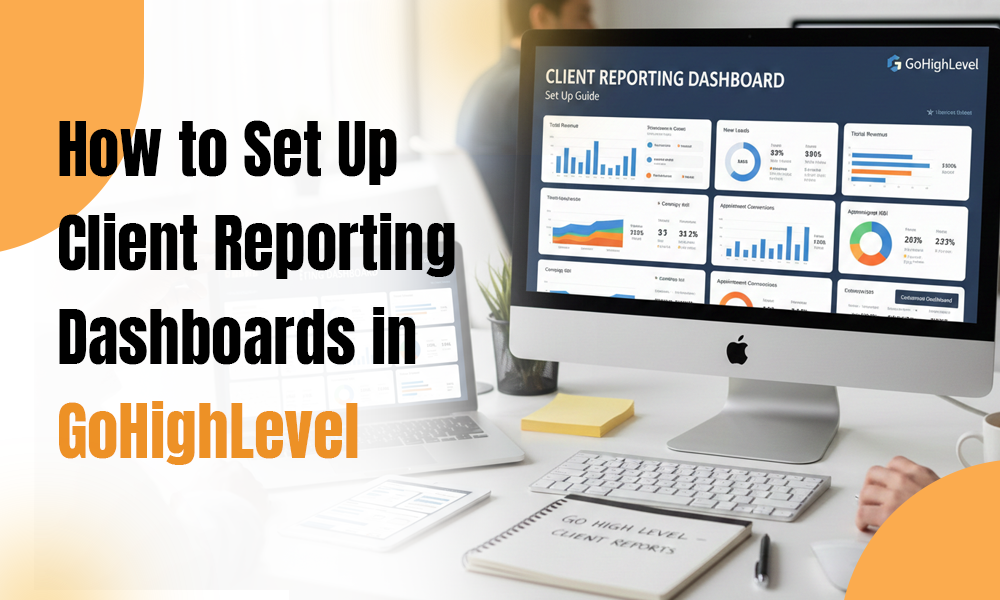
How to Set Up Client Reporting Dashboards in GoHighLevel


Client reporting is one of the strongest foundations of any agency-client relationship. Whether you run a digital marketing agency, a lead gen business, or a niche service-based brand, your clients expect clarity. They want transparency, visibility into what’s happening, and an easy way to understand the ROI you’re delivering.

That’s exactly where GoHighLevel shines. With its built-in reporting dashboards, you can give clients a real-time view of their leads, conversions, calls, revenue, and campaign performance—all in one place. Yet many agencies still don’t take full advantage simply because they’re unsure how to set everything up.

This guide walks you through how to build, customize, and automate client reporting dashboards in GoHighLevel. You’ll see how a well-structured dashboard improves communication, boosts retention, and positions your agency as a true GoHighLevel expert.

Whether you’re running a GoHighLevel agency, offering the best GoHighLevel services, or relying on GoHighLevel automation to scale your operations, this step-by-step guide will help you upgrade your reporting game.


Why Client Reporting Dashboards Matter

Before we get into the setup process, let’s touch on why great reporting is so essential for any modern agency.

✔ Transparency Builds Trust

Clients want visibility. When they can clearly see leads, calls, revenue, and progress, they trust your work more—and feel confident in your strategy.

✔ Better Reporting = Better Retention

Most agencies don’t lose clients because of poor performance.
They lose them because clients feel uninformed.
A dashboard solves that instantly by giving clients everything they need, whenever they need it.

✔ You Save Hours of Manual Work

Once a dashboard is configured, GoHighLevel automation updates everything in real time. No more building monthly reports from scratch.

✔ It Positions You as a GoHighLevel Expert

Providing polished, automated reporting helps you stand out and builds your authority as a high-level service provider.


Step-by-Step: Setting Up Client Reporting Dashboards in GoHighLevel

Below is a simple, streamlined workflow to create dashboards your clients will actually use—and appreciate.


Step 1: Identify the Metrics Your Client Cares About

Start by clarifying what’s important to your client. Common analytics categories include:

  • Lead volume
  • Sources of leads
  • Call tracking
  • Funnel and page conversions
  • Appointments booked
  • Pipeline movement
  • Email/SMS performance
  • Revenue
  • Ad performance

As a GoHighLevel expert, help clients focus on meaningful metrics—not vanity numbers.


Step 2: Go to the Dashboard Builder

Inside GoHighLevel:

  1. Open your client’s Sub-Account
  2. Click Dashboard
  3. Select Customize Dashboard

This area lets you build a personalized reporting experience tailored to each client.


Step 3: Add and Customize Widgets

GoHighLevel lets you add widgets for:

  • Conversations
  • Opportunities
  • Pipelines
  • Funnels
  • Attribution
  • Forms & surveys
  • Calls
  • Workflow activity

For each widget, you can adjust:

  • Filters
  • Date range
  • Campaign/workflow
  • Source
  • Display format

This flexibility lets you create a clean, accurate reporting experience.


Step 4: Integrate Important Data Sources

A dashboard becomes powerful when the right data streams are connected.

  1. Call Tracking

Connect Twilio or LC Phone to display:

  • Total calls
  • Missed vs. answered
  • Call recordings
  1. Website & Funnel Analytics

Track:

  • Page views
  • Form submissions
  • Conversions
  1. Advertising Integrations

Connect:

  • Facebook Ads
  • Google Ads
  • TikTok Ads

GoHighLevel’s attribution reporting brings all ad performance into one view.


Step 5: Build a Clear, Client-Friendly Layout

A good dashboard isn’t just accurate—it’s easy to read.

Here’s a recommended layout used by top GoHighLevel agencies:

Section 1: Lead Overview

  • Total leads
  • Leads by source
  • Cost per lead (if ads connected)

Section 2: Pipeline Summary

  • Opportunity stages
  • Pipeline value
  • Win rate

Section 3: Communication

  • SMS open rate
  • Email open/click rate
  • Missed call rate

Section 4: Appointment Insights

  • Bookings
  • Show-ups
  • No-shows

Section 5: Revenue

  • Payments
  • Subscriptions
  • Invoices

The goal is clarity—not clutter.


Step 6: Automate Your Reporting

This is where GoHighLevel truly excels.

With workflows, you can set up:

✔ Weekly Reports

Send automated summaries or links every Monday.

✔ Monthly Performance Reports

Perfect for ongoing services like ads, funnels, SEO, or retainer clients.

✔ Real-Time Alerts

Such as:

  • New lead notification
  • Missed call
  • Appointment booked

Automation keeps clients informed 24/7 without extra manual work.


Step 7: Set Up Client Access Permissions

Give clients access to:

  • Dashboards
  • Pipelines
  • Conversations
  • Reports

Hide internal tools to keep their view clean and professional. This also makes your agency look like a premium, modern service provider.


Step 8: White Label the Dashboard

For a fully branded experience:

  • Add client logos
  • Use their color palette
  • Customize sidebar
  • Remove GoHighLevel branding
  • Add a custom domain login page


Bonus: Bring in a GoHighLevel Developer

For advanced needs—API integrations, custom UI, or tailored reporting tools—an experienced GoHighLevel developer can help.


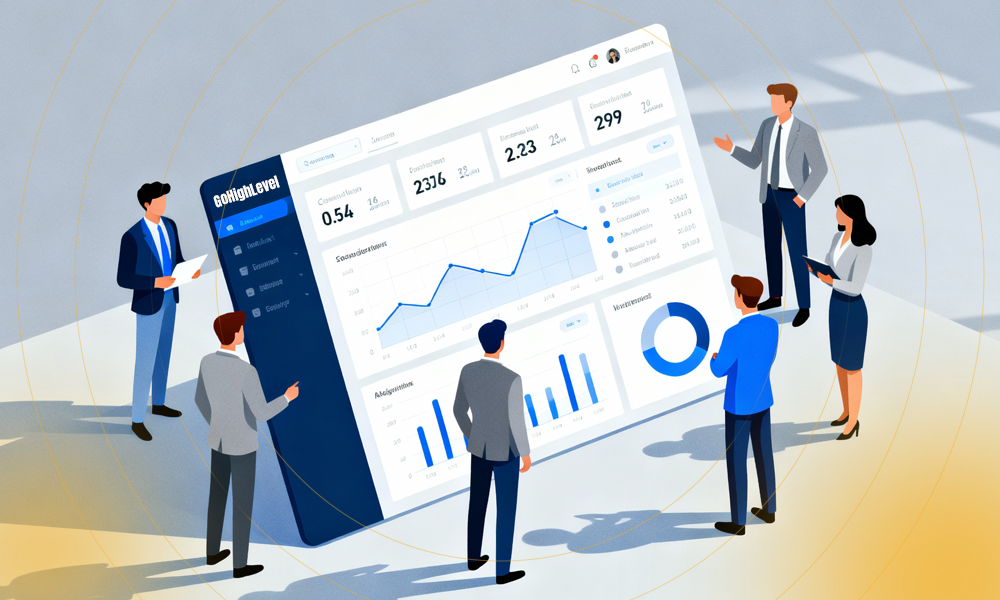
Benefits of Using GoHighLevel Dashboards
  1. Full Transparency

Clients can see everything anytime.

  1. Fewer Support Questions

Clients answer most questions by checking their dashboard.

  1. Higher Retention

Clients stay longer when they see proof of results.

  1. A More Polished Agency Image

Looks comparable to custom enterprise reporting systems.

  1. Real-Time Insights

No more waiting for monthly updates.


Conclusion

Setting up client reporting dashboards in GoHighLevel is one of the easiest ways to strengthen communication and build long-term client relationships. With a well-structured layout, smart automation, and white-labeled branding, you can deliver a reporting experience that’s both professional and effortless.

Whether you’re offering the best GoHighLevel services, running a GoHighLevel agency, or using GoHighLevel automation to scale your business, a great dashboard will set you apart from your competitors.

If you want help building advanced dashboards, workflows, or white-labeled reporting setups, expert GoHighLevel developers are always available to support your growth.
How to Onboard Clients Seamlessly Using GoHighLevel


Any service-based or digital marketing business requires client onboarding as its fundamental operational process. A well-designed onboarding system helps clients understand their expectations while building trust and providing them with an excellent first-day experience. The platform GoHighLevel (GHL) enables agencies to create automated onboarding systems which handle intake forms and workflow automation and task distribution and follow-up communications and service delivery.


The development of a smooth onboarding process represents a strategic business benefit for agencies that operate as GoHighLevel experts or provide GoHighLevel services or run GoHighLevel agencies. The following guide demonstrates how GoHighLevel automation enables you to create an efficient onboarding process which produces exceptional client satisfaction at every step.


Why Client Onboarding Matters

The process of client onboarding requires more than basic paperwork and signature collection because it serves essential purposes.


  • The process establishes essential project requirements.
  • The process helps prevent project delays from occurring.
  • The system eliminates the need for human beings to perform repetitive work.
  • The process leads to higher client satisfaction rates and better retention outcomes.
  • Your agency will gain a professional image through process-driven operations.

A well-designed onboarding process helps establish trust between businesses and clients. A disorganized onboarding process leads to client uncertainty. Through GoHighLevel you establish a premium client experience by creating a customized high-touch onboarding process that showcases your agency’s value.


Step-by-Step Guide: How to Onboard Clients Seamlessly Using GoHighLevel

1. Begin Your Onboarding Process with a Customizable Funnel Design

Your onboarding process needs to start with an organized funnel which enables clients to finish all necessary steps within one platform. Through GoHighLevel users can establish:


  • Landing pages
  • Welcome videos
  • Intake forms
  • Document upload sections
  • Service agreement pages

The GHL onboarding funnel serves as the main entry point for new clients to perform their required tasks without any confusion. The implementation of GHL onboarding funnels by agencies who deliver top GoHighLevel services proves their mastery of using the platform at its peak level.


2. GoHighLevel Forms enable businesses to obtain necessary client information

The practice of exchanging multiple emails for client information collection has become obsolete. The platform enables users to design customizable forms which help organizations obtain:


  • Business information
  • Brand details
  • Access credentials (social media, ad accounts, etc.)
  • Goals and priorities
  • Target audience information

The system reduces communication cycles while obtaining all necessary service delivery information at the beginning of the process.

The system enables you to set automatic reminders which help clients finish their form work on schedule.


3. The system will perform automated welcome procedures for new clients

The first contact with your business creates a lasting impression for new clients. The automation features of GoHighLevel enable you to establish a complete welcome sequence which activates when clients register or finish their payment process.

The sequence includes multiple elements which may consist of:


  • A personalized welcome email
  • A warm introduction message
  • A link to the onboarding portal
  • Calendar scheduling link for kickoff call
  • Instructions for next steps

Your GoHighLevel agency can enhance its professional image by incorporating a short welcome video during this initial contact.


4. The system allows users to establish an onboarding pipeline which guides clients through their process


The CRM section of GHL allows users to establish an onboarding pipeline which includes stages from New Client to Payment Completed to Forms Submitted to Kickoff Call Scheduled to Assets Received to Onboarding Completed.


The system enables you to set automated workflows for each stage which removes human involvement in monitoring progress. Operational tracking through pipelines has become a standard practice for agencies that want to maximize their efficiency.

The system prevents any client from disappearing during the process.


5. The system allows you to distribute work assignments to your team members automatically

The process of client onboarding requires your team to perform various internal tasks which include account setup and funnel construction and integration configuration.

The system allows you to distribute tasks automatically to your team members for account setup work and project manager data sharing and internal notification delivery through Slack or email.

The system enables you to establish deadlines and send alerts to team members.
The system operates with complete automation which enables your team members to work more efficiently while clients experience shorter wait times.


6. Workflows enable your organization to handle all background operations


The core of GHL automation exists within its workflow system. The system enables users to develop onboarding workflows which execute multiple functions including:

  • Client tagging
  • Email and SMS notifications
  • Pipeline movement
  • Follow-up reminders
  • Scheduling
  • Slack/internal notifications
  • Task creation
  • Document requests

A properly designed workflow enables your agency to automate 80% of all onboarding tasks.

Your agency will achieve a professional appearance while your team handles less manual work.


7. Automate the process of scheduling kickoff calls

The GHL calendar system enables users to eliminate traditional email-based call scheduling methods.

Your onboarding system will automatically generate calendar links which trigger email notifications that include:


  • Reminders
  • Rescheduling options
  • Pre-call questionnaires
  • Meeting agendas

Your clients will receive continuous updates which will create an impression of excellent support from the beginning.


8. A client dashboard should be available for clients to access for better transparency

The most significant feature you can provide to clients is access to a GoHighLevel dashboard.

The dashboard enables clients to monitor their onboarding status and submit necessary documents and view their account information and project schedules and request assistance.

The feature enables agencies to deliver premium services through GoHighLevel which results in higher client satisfaction.


9. Track your progress while evaluating your success rates

The onboarding process requires active monitoring to detect performance gaps in automation systems.

The system tracks client form completion times and kickoff call scheduling speed and support ticket resolution rates and client email engagement levels.

Your agency will achieve operational efficiency and business growth through ongoing improvement initiatives.


Best Practices for Seamless Client Onboarding Using GoHighLevel

The system provides clients with clear and continuous communication through automated reminders and scheduled updates.


  • Onboarding process becomes more manageable when clients receive step-by-step instructions.
  • People find it easier to understand things when video content is used for explanations.
  • Platform should contain all necessary information for clients to avoid confusion.
  • System should adapt its onboarding process to meet the individual needs of each client.
  • The system should provide personalized experiences to clients even though it operates through automated processes.

GoHighLevel enables your agency to achieve faster growth through its operational support.

The complete automation system in GoHighLevel enables your team to dedicate more time to delivering exceptional results instead of performing repetitive work. Your agency can achieve the following benefits through this system:


  • Your agency can serve more clients through existing staff numbers.
  • The system helps agencies reduce the time needed for client onboarding.
  • The system enables agencies to deliver services at consistent levels.
  • The system helps agencies deliver better service quality to their clients.
  • The system enables agencies to create professional onboarding systems that bear their brand identity.

GoHighLevel stands as an essential tool for marketers who want to achieve high performance according to leading successful marketers.


Conclusion

The process of client onboarding does not need to create overwhelming situations. The complete GoHighLevel platform which includes CRM and pipelines and workflows and calendars and automation enables you to create an onboarding process that runs smoothly and follows a set pattern and delivers professional results.


A well-automated onboarding system functions as the main factor which differentiates your agency from competitors when you operate as a GoHighLevel agency or deliver top-notch GoHighLevel services or establish yourself as a GoHighLevel authority. Your agency will experience increased operational efficiency and better client satisfaction and higher revenue when you establish a complete onboarding workflow system.

AI-Powered Follow-Up Strategies Using GoHighLevel


Your digital marketing success depends heavily on the effectiveness of your follow-up approach because it determines conversion rates. The current digital environment demands more time from people who face increasing email overload while their attention span continues to decrease. Businesses that do not implement proper follow-up methods at the right time will lose potential customers who could have converted into paying customers.

The implementation of AI-powered follow-up automation through GoHighLevel (GHL) brings transformative benefits to businesses. The integration of artificial intelligence into your workflows enables you to create individualized communication that accelerates lead development and generates more sales with reduced human involvement.

A dedicated GoHighLevel developer will optimize your automation systems and funnels and AI workflows to achieve maximum platform performance for businesses that want complete customization.

Role of AI in Modern Follow-Up Systems

The current follow-up systems depend on pre-defined sequences and human outreach efforts. The behavior patterns of different prospects differ from each other. The timing of follow-up contacts determines success because some people answer right away but others need time and most people abandon contact when they receive messages at wrong times through wrong channels.

AI resolves these gaps through three main capabilities.

1. Intelligent Timing

AI systems use user behavior data from link clicks and email openings and SMS responses and page visits to determine optimal follow-up timing. AI systems replace fixed time delays (e.g. “1 day delay before sending email”) with timing that matches when prospects show highest engagement potential.


2. Hyper-Personalized Messaging

AI tools inside GoHighLevel generate customized follow-up messages through analysis of buyer personas and last interaction data and lead status and funnel stage information.

The customized approach leads to higher open rates and reply rates and conversion rates.


3. Smart Lead Prioritization

AI-based scoring systems evaluate leads to determine their level of interest which ranges from “hot” to “warm” to “cold”.

Your follow-up process should operate as follows:

  • Hot leads require immediate contact through multiple high-touch methods.
  • Warm leads need ongoing nurturing efforts.
  • Cold leads require extended drip marketing campaigns.


4. Multichannel Intelligence

AI systems select the most effective communication method through user engagement patterns between email and SMS and WhatsApp and voicemail drops and social media direct messages.


A better outreach system produces superior results which lead to higher conversion rates.

GoHighLevel implements AI technology to enhance follow-up operations


The customer journey benefits from AI integration throughout GoHighLevel operations which has established the platform as a leading solution. The platform offers essential features which make it suitable for building intelligent follow-up systems.

• AI-Powered Conversation Workflows

The AI Chatbot + Workflow Builder in GHL enables users to build automated sequences that perform three main functions:

  •  Handles incoming customer requests
  •  Evaluates customer qualifications
  •  Enables appointment scheduling
  •  Executes automated follow-up operations

• AI Email & SMS Writer

The built-in AI tool helps users generate automated content for their follow-up messages including emails and SMS and nurturing sequences and apology messages and re-engagement templates.

• AI Call Handling & Transcription

AI systems analyze phone calls to detect customer objections which helps determine the best response method.

• Smart Pipelines & Lead Scoring

The automation system in GHL detects when a contact reaches “hot lead” status to trigger immediate follow-up actions.

• Multichannel Follow-Up Automation

The system operates through a single interface which supports all communication channels including email and SMS and WhatsApp and voicemail drops and text-based responses for missed calls.

A dedicated GoHighLevel developer will create custom integrations and workflows and multichannel setups that match your business requirements.


Proven AI-Powered Follow-Up Strategies to Maximize Conversions

The following strategies based on GoHighLevel can be used right away for your business.

  1. AI-Driven Speed-to-Lead Follow-Up

The first five minutes of response time leads to significant increases in conversion rates.

The process operates as follows:

  1. A lead becomes part of your marketing system.
  2. The system sends an individualized SMS message to the lead right away.
  3. The chatbot system maintains contact with leads to determine their qualification status.
  4. The system directs high-interest leads to your scheduling page.
  5. The system maintains lead nurturing for leads with unclear intentions.


  1. AI-Powered Nurturing Sequences

AI technology inside GoHighLevel creates customized follow-up messages which adapt to user actions.

The system triggers follow-up messages based on three specific conditions.

  • Pricing page visitsThe system enables users to access emails through their inbox without needing to click on any links. Users spend time exploring different pages on the landing page. The system fails to generate any responses from follow-up attempts. AI technology enables users to create personalized nurturing experiences that feel natural to their audience.
  1. AI Voicemail + Callback Loop

The system uses multiple steps to perform follow-up operations through its AI-based process.


  1. The system generates AI-written SMS messages for users.
  2. The system will leave a voicemail recording when users fail to respond to messages.
  3. The system sends email follow-ups to users within short time periods after their initial contact.
  4. The system sends an incentive message to users during the following day.

The system uses different communication channels to reach users who have not responded yet.


  1. AI Appointment Reminder & Recovery Workflow

AI appointment reminders help businesses maintain their scheduling calendars while preventing no-show appointments from occurring.

The system operates through the following sequence of actions:

  • SMS reminders
  • Confirmation messages
  • Easy reschedule prompts
  • Automated pipeline updates


  1. AI Re-Engagement Campaigns for Old Leads

The system generates customized outreach messages which include:


  • New offers
  • Case studies
  • “Checking in” messages
  • Limited-time incentives

A basic automated message system helps businesses retrieve dormant leads which eventually become new sales opportunities.


How to Implement AI Follow-Up Workflows in GoHighLevel


The following steps provide a basic implementation plan for AI follow-up workflows in GoHighLevel.


Step 1: Map Your Customer Journey

All stages of the customer journey need to be identified.


Step 2: Build AI-Powered Conversations

The system uses automated responses to handle customer FAQs and appointment bookings and handle their objections.


Step 3: Set Behavior-Based Triggers

The system uses two examples to trigger actions:

  • When a lead fails to answer messages within 24 hours.

When a lead clicks on SMS content but does not schedule an appointment.


Step 4: Use AI for Message Writing

The system uses artificial intelligence to create messages that match the desired tone and structure.


Step 5: Apply Multichannel Automation

The system uses email and SMS and WhatsApp and voicemail and additional communication channels for automation.


Step 6: Monitor Performance

The system tracks three essential performance metrics which include open rates and response rates and booking rates and conversion rates.

A professional GoHighLevel developer can help you create complex workflows and AI integrations and automation optimization when you need their assistance.


The Business Impact of AI-Powered Follow-Ups

Organizations that implement GoHighLevel with AI technology achieve:

  • Faster response times
  • More appointments booked
  • Higher conversions
  • Less manual work
  • More revenue with the same traffic

The system uses AI follow-ups to provide individualized care for each lead while maximizing all available business opportunities.


Final Thoughts

Businesses need AI-powered follow-up strategies as their fundamental requirement to achieve efficient growth. The AI tools and automation engine and omnichannel features of GoHighLevel enable users to build a follow-up system that operates continuously while generating consistent conversions with minimal human involvement.


A dedicated GoHighLevel developer can help you create an optimized AI follow-up system and workflows and funnel setup that matches your business model.

How to Use GoHighLevel in the E-commerce Industry


The current e-commerce market requires businesses to implement automation because it has become essential for survival. Businesses require an integrated solution which simplifies workflows and boosts efficiency to manage leads and customer journeys and automate sales follow-ups and reporting.

The platform GoHighLevel serves as a solution for businesses which need scalable marketing and customer management systems. The platform GoHighLevel started as an agency tool but now serves e-commerce businesses that need advanced marketing solutions.

The following article demonstrates how to implement GoHighLevel for e-commerce operations while explaining GoHighLevel automation functions and showing how working with a GoHighLevel expert or GoHighLevel expert services enables maximum platform utilization.


1. GoHighLevel Revolutionizes E-commerce Operations 

E-commerce operations require businesses to handle numerous interconnected elements which include product listings and cart management and email marketing and customer retention and post-sale support. The separate management of these processes results in operational inefficiencies and broken communication channels and lost business opportunities.

The platform GoHighLevel unites all business operations into one platform. The platform combines CRM functionality with marketing automation and funnels and communication tools to create an ideal solution for online stores that need fast and efficient growth.

The specific features of GoHighLevel make it an excellent solution for e-commerce businesses because of its ability to:

  • Unifies customer information with purchase records
  • Automated lead care and sales follow-up operations
  • Enables communication through multiple channels (SMS, email, chat)
  • Conversion-optimized funnels to enhance product sales performance
  • Automated systems for customer review management and loyalty program maintenance


2. GoHighLevel CRM enables businesses to handle customer relationships more efficiently

The core functionality of GoHighLevel exists within its robust CRM system. E-commerce businesses need to understand customer behavior patterns and their communication preferences and their overall value to maintain effective customer management.

Through GoHighLevel you can:

  • Enables lead collection from your store and landing pages and social media advertising platforms.
  • Enables customer segmentation through purchase history and interaction levels.
  • Performs automated cart abandonment follow-up notifications to customers.
  • Enables automatic lead and ticket assignment to sales and support teams.

The system maintains complete visibility of all potential buyers while keeping customer information both organized and usable for business decisions.

A GoHighLevel virtual assistant helps businesses with large customer bases to optimize their CRM operations. The virtual assistant helps with customer tagging and campaign scheduling and database maintenance so your team can dedicate time to business expansion instead of administrative work.


3. Leveraging GoHighLevel Automation for Sales and Marketing

The real power of GoHighLevel lies in its automation capabilities.

GoHighLevel automation allows e-commerce stores to:

  • Send personalized email or SMS sequences based on customer behavior
  • Trigger upsell or cross-sell campaigns after a purchase
  • Automate abandoned cart recovery messages
  • Schedule review request campaigns automatically
  • Send loyalty discount codes after repeat purchases

For example, if a customer buys a product, GoHighLevel can automatically:

  1. Send a “Thank You” email with the order summary.
  2. Follow up with a cross-sell suggestion after three days.
  3. Trigger a review request after one week.
  4. Send a discount coupon for their next purchase after 30 days.

All of this happens without any manual effort.

This type of automation saves time, enhances the customer experience, and increases revenue, all while ensuring consistent communication across multiple touchpoints.


4. Building Conversion-Focused Funnels

E-commerce businesses can construct conversion-optimized sales funnels through GoHighLevel’s funnel builder without needing additional tools like ClickFunnels or Shopify applications.

The system features a user-friendly interface which enables users to build:

  • dedicated product landing pages.
  • enables users to add additional sales offers which include both upsells and downsell promotions.
  • enables users to link their payment processing systems.
  • system tracks all performance data from each stage of the sales funnel.

The system enables users to perform A/B testing on their funnel pages while monitoring conversion rates and making instant adjustments to their messaging content for better ROI optimization.

A GoHighLevel developer will assist you in creating customized funnels and API integrations to develop complex business workflows that match your specific business model.


5. Simplifying Communication with Multi-Channel Outreach

Every e-commerce brand depends on customer engagement to survive. The built-in communication channels of GoHighLevel enable businesses to maintain continuous contact through its various features which include:

  • Email marketing: Schedule newsletters, promotions, and drip campaigns.
  • SMS marketing: Send order confirmations or flash sale alerts.
  • Facebook Messenger & WhatsApp: Respond instantly to customer inquiries.
  • Pipeline messaging: Manage conversations directly from your CRM dashboard.

The integrated channels of GoHighLevel eliminate the requirement for separate tools because they maintain consistent and timely communication across all customer interaction points.


6. Using Analytics to Measure and Optimize Performance

The performance of your e-commerce business depends on data analysis which GoHighLevel enables through its detailed performance tracking features.

You can track:

  • Sales conversion rates
  • Funnel performance metrics
  • Customer lifetime value
  • Campaign engagement data
  • Response and conversion times

The marketing team can enhance their campaign performance through data analysis which helps them decrease expenses and achieve better return on investment.

The expert services of GoHighLevel enable you to analyze reports for discovering specific growth strategies which help you enhance audience targeting and sales funnel efficiency.


7. GoHighLevel and Customer Retention

E-commerce businesses generate their most valuable profits through customer retention. The automation features of GoHighLevel together with personalization capabilities help businesses enhance customer retention.

You can:

  • Create post-purchase automation sequences
  • Send re-engagement emails to inactive customers
  • Build loyalty programs and automated rewards
  • Gather reviews and feedback automatically

The combination of these touchpoints creates a sense of value for customers which leads to extended loyalty and continuous revenue streams.


8. Why You Need a GoHighLevel Expert

The complete utilization of GoHighLevel requires professional guidance from a certified GoHighLevel expert because the platform offers user-friendly functionality.

A certified expert possesses the ability to:

  • Map customer journeys and trigger-based workflows
  • Integrate GoHighLevel with your existing e-commerce tech stack
  • Customize funnels, forms, and campaigns
  • Optimize your automations for conversions

Your e-commerce business will achieve scalable operations and revenue growth through expert services from GoHighLevel when you partner with their team.

The expert will assist you in using advanced automation features and AI integrations and data analytics to achieve maximum return on investment.


9. Integrating GoHighLevel with Your E-commerce Platform


GoHighLevel provides seamless integration with Shopify and WooCommerce and BigCommerce e-commerce platforms. The CRM system enables direct synchronization of customer information and order data from your e-commerce platform.

The system enables users to:

  • Trigger workflows when a purchase is made
  • Automate abandoned cart recovery
  • Update customer tags and segments dynamically
  • Send product recommendations based on buying patterns

A GoHighLevel developer should handle complex integration tasks and API work to establish a smooth connection between your store and GoHighLevel.


10. Conclusion: Automate, Scale, and Succeed with GoHighLevel

GoHighLevel serves as the ultimate all-in-one solution for e-commerce businesses which want to achieve efficient growth. The platform unites marketing functions with CRM capabilities and automation tools to create an operational system that enhances customer interactions and boosts conversion rates.

Your business can achieve consistent revenue growth through proactive digital workflow management by using GoHighLevel automation and working with a certified GoHighLevel expert.

Your business needs to establish a system which operates independently from your direct involvement through either GoHighLevel virtual assistant support or custom GoHighLevel developer work with a developer.

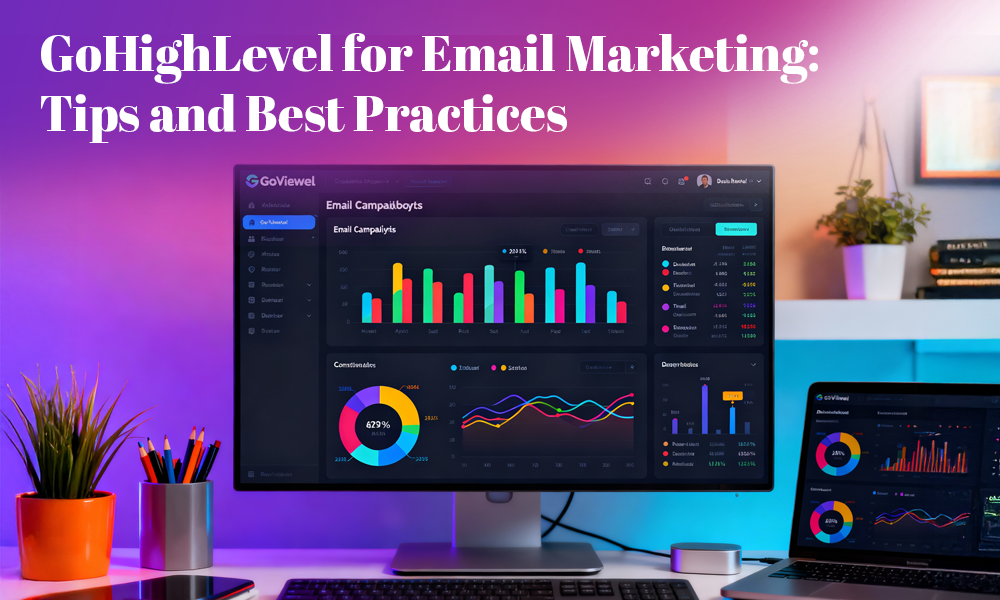
GoHighLevel for Email Marketing: Tips and Best Practices


The current marketing environment depends on automated personalized approaches to achieve actual business outcomes. Users who already use GoHighLevel understand its power but most fail to achieve its complete email marketing capabilities. The complete set of email automation tools in GoHighLevel enables users to create and test and enhance their email content for better audience engagement.

This article explains how to use GoHighLevel for successful email marketing through practical examples and proven strategies which enhance your email marketing efforts.


Why Choose GoHighLevel for Email Marketing?

GoHighLevel functions as an automation platform which unites email marketing with SMS and funnels and client management under one system. The platform enables users to:

  • Develop automated email sequences for specific audience segments
  • Track how recipients interact with your emails through open and click metrics
  • Trigger personalized email campaigns through pipeline and workflow triggers
  • Manage leads without needing to switch between different tools

The email marketing features of GoHighLevel unite all customer interaction stages from initial contact to ongoing client maintenance.


1. Establish Your Email Marketing System within GoHighLevel

The beginning of success requires appropriate setup.

Access your GoHighLevel dashboard to find the Marketing → Email Templates section which enables you to:

  • Design professional email templates
  • Verify your sending domain through DKIM and SPF and DMARC record setup
  • Choose between SMTP integration and using GoHighLevel’s built-in email service

Your domain needs to undergo a warming process when you plan to send emails at high volumes. Your email delivery success depends on starting with small campaigns which help you build subscriber engagement before you can send more emails without getting spam-filtered.

A gohighlevel virtual assistant can help you with campaign setup and contact imports and workflow automation so you can concentrate on developing your strategy when you run out of time.


2. Use Audience Segmentation to Enhance Email Engagement

Using a single email message for all subscribers leads to poor results. The smart list and tag features in GoHighLevel enable users to divide their audience based on:

  • Behavioral data including link clicks and email openings
  • Funnel stage which includes lead and prospect and client categories
  • Target audience characteristics and their areas of interest

The ability to segment your audience enables you to send targeted emails which boost both open rates and conversion numbers.


The system enables you to create three different email sequences for your audience.

  • The system sends welcome emails to all new leads who join your list.
  • The system delivers additional promotional content to prospects who show interest.
  • The system delivers additional product recommendations to customers who remain active.

Your email content becomes more personal when you use this approach which leads to higher engagement levels.


3. Use Workflows to Automate Your Email Marketing Campaigns

ghl overflow
The Workflow Builder in GoHighLevel provides users with a visual interface to create intelligent email automation sequences.

The system enables users to create automated sequences for:

  • Lead development programs
  • Scheduling appointment reminders
  • Automated email sequences for onboarding new clients
  • Automated email sequences that trigger after form submissions


Users can create new workflows by following these steps:


  1. Access the Automation section then select Workflows.
  2. Click on “Create Workflow” to start the process and choose your trigger events.
  3. You can add “Send Email” and “Wait X days” as your workflow actions.
  4. You can enhance your content through the use of merge fields.

The combination of email with SMS and pipeline automation enables businesses to deliver complete omnichannel communication.

A gohighlevel developer will assist you in creating complex automated systems which match your agency requirements when you need advanced automation logic or custom API connections.


4. Focus on Deliverability and Compliance

Your email content becomes useless when your messages fail to reach the inbox.

Maintaining high delivery rates requires you to:

  • Verify your sending domain through DKIM and SPF and DMARC record setup
  • Avoid using words that trigger spam filters in your email subject lines
  • Perform regular list maintenance to remove unengaged subscribers
  • Implement double opt-in procedures when necessary
  • Send emails at the same time every week

The built-in analytics tools in GoHighLevel help you track delivery performance and open rates and bounce statistics which you can use to enhance your strategy.


5. Create Emails That Drive Conversions

The design elements and content of your emails determine how well recipients will interact with them.

The design elements and content of your emails determine how well recipients will interact with them.The GoHighLevel email builder requires users to follow these design principles for their email creation process.

The email design should maintain simplicity while ensuring mobile compatibility.

Your email subject line should be both attention-grabbing and brief enough to stay under 60 characters.

Your email should contain only one prominent action button which serves as your main Call to Action.

You should insert personalization elements which include business names and first names into your emails.

Perform A/B testing on your email subject lines and button positions to determine which versions generate better results.

The drag-and-drop editor in GoHighLevel enables you to create different visual designs which help you determine which content types work best for your audience.


6. Create Drip Campaigns for Lead Nurturing

The system sends automated email sequences through time-based intervals.


Through GoHighLevel you can:

The system enables users to develop lead nurturing sequences which both teach and transform leads. It enables businesses to send post-purchase emails which help maintain customer retention.


The system enables businesses to send re-engagement campaigns to leads who have become inactive.

The workflow consists of four email sequences which start on Day 1 with a welcome message followed by educational content on Day 3 and case studies or testimonials on Day 5 and finally an offer or call to action on Day 7.

Drip campaigns achieve their best results when emails maintain consistent branding elements and tone which can be managed through a go high level white label setup suitable for agencies who want to preserve their brand identity across multiple client accounts.


7. Analyze and Optimize Your Campaigns

Your data collection represents your most valuable resource.

The Analytics dashboard in GoHighLevel provides users with performance metrics that include:

The system tracks three main performance indicators which include open rates and click rates and unsubscription rates.

The system tracks revenue generation when you link your funnels to the platform.


You should use these performance metrics to:


The analysis of email performance helps you determine which messages generate the highest response rates.

You should use the collected data to enhance your content creation approach.

You should modify your email delivery schedule and frequency based on how your audience interacts with your content.

The system enables you to establish automated lead tagging and sales team notification for prospects who demonstrate high interest levels.


8. Integrate Email with Your Full Marketing Funnel

The email tool in GoHighLevel functions optimally when users link it with additional platform features.The system enables users to trigger email sequences through funnel triggers, it enables users to link pipeline stages with automated system updates.

The system enables users to combine email and SMS reminder systems for event registration and demo appointment notifications.

The platform provides complete flexibility because users can link all marketing elements to their email strategy for creating a unified audience experience.

White labeling GoHighLevel provides agencies with a strategic solution for managing multiple clients and delivering done-for-you automation services.

A go high level white label setup enables your agency to use the platform under your agency name while delivering complete email marketing capabilities without requiring additional systems.


9. When to Get Expert Help

You can seek help from experts when you face difficulties in managing your email setup and automation systems and developing effective campaign strategies.

A GoHighLevel expert provides three main services to users.

The system enables users to establish automated workflows and create branded email templates and enhance delivery performance and segment their lists and construct customized reporting systems.

You can choose to employ a gohighlevel virtual assistant for handling your daily campaign work or work with a gohighlevel developer for creating complex automation systems or partner with a gohighlevel white label provider for complete agency-level service delivery.


Conclusion

GoHighLevel functions as a complete email marketing solution which exceeds the capabilities of traditional CRMs when users implement strategic methods. The platform delivers complete email marketing functionality through its automation tools and segmentation features and analytics capabilities and deliverability to enhance delivery performance.

The implementation of these best practices together with GoHighLevel expert assistance and virtual assistant and developer support will transform your email marketing into a dependable business growth tool for your organization or agency.

Creating Smart Automation Sequences with GoHighLevel and ChatGPT

Creating Smart Automation Sequences with GoHighLevel and ChatGPT

Businesses must adopt automation as their essential operational requirement because customers now demand immediate responses and customized interactions through all communication channels. The combination of GoHighLevel as an all-in-one CRM and marketing automation tool with ChatGPT as a state-of-the-art AI language model enables businesses to enhance their client communication and marketing operations. 

The combination of these two technologies enables agencies and businesses to develop intelligent automated workflows which both reduce operational time and enhance customer relationships and conversion rates.

Why Combine GoHighLevel and ChatGPT?

Why Combine GoHighLevel and ChatGPT? 

The platform GoHighLevel exists to support agencies and businesses which require lead management and automated follow-ups and centralized communication systems. The platform features multiple essential tools which include: 

  • The system enables users to create automated SMS and email marketing campaigns. 
  • The system enables users to manage their pipelines and customer relationships through its CRM functions. 
  • The system includes tools to create funnels and landing pages. 
  • The system enables users to schedule appointments and send automatic reminders to clients. 

The AI capabilities of ChatGPT enhance these operational processes through its advanced intelligence system. It can: 

  • The system produces customized message templates for users. 
  • The system handles both customer support inquiries and answers to frequently asked questions. 
  • The system adjusts its communication style to match the characteristics of different audience groups. 
  • The system generates content for email messages and SMS communications as well as social media promotional materials. 
  • The combined power of these systems enables businesses to create advanced automated workflows that deliver customized experiences to their customers. 

Step 1: Map Out Your Customer Journey 

The first step for automation requires businesses to define all essential stages that customers experience during their journey. For example: 

  • The process starts when users submit forms or activate advertisements. 
  • The first contact with customers occurs through either a welcome email or initial follow-up message. 
  • The system delivers useful content and scheduling reminders to customers during the nurturing phase. 
  • The conversion process occurs when clients book appointments or make purchases or sign up for services. 
  • The system maintains client engagement through retention strategies after customers complete their purchases. 

GoHighLevel enables automated workflow execution while ChatGPT generates customized messages to direct prospects through their entire journey.

Construct Your Automated Workflows Using GoHighLevel 

Step 2: Construct Your Automated Workflows Using GoHighLevel 

The workflow feature of GoHighLevel enables users to establish automated sequences that trigger based on customer interactions. Some examples: 

  • When a new lead completes a form they receive an automatic welcome email and a subsequent SMS message during the first 24 hours. 
  • The system sends appointment reminders through SMS messages and email notifications to clients before their scheduled appointments. 
  • The system generates automated cart abandonment messages which alert customers about their uncompleted purchases. 
  • The system generates sequences of content which include onboarding materials and appreciation messages and promotional offers to customers after their purchase. 
  • The triggers established within GoHighLevel ensure that every lead receives proper attention through the system. 

Step 3: Use ChatGPT to Create Messages That Are Tailored to Each Individual 

The power of automation becomes more effective when it uses personalized content instead of generic messages which tend to appear robotic. The system excels at this point. Your automated messages can now include personalized human-like content which addresses specific audience needs. 

Examples: 

  • A fitness coach would send this message to Sarah after she started her fitness journey: “Great job Sarah on beginning your fitness journey. A brief guide exists to assist you in beginning your day right away. 
  • The real estate agent John received this message because he showed interest in Austin properties with three bedrooms. The following properties match your preferences according to my selection. 

The natural and relevant content generated by ChatGPT for SMS and email and follow-ups surpasses the limitations of standard automated messaging templates.

Personalization at Scale

Step 4: Personalization at Scale 

The main difficulty in marketing involves showing individualized attention to numerous leads while maintaining their sense of importance. The combination of ChatGPT with GoHighLevel enables you to: 

  • The system enables audience segmentation through location and behavior and service interest so ChatGPT can modify both tone and content delivery. 
  • The system uses automatic variables to insert customer-specific details such as names and locations and purchase records into messages. 
  • The system generates multiple versions of messages, which prevent clients from getting duplicate messages in their inbox. 
  • The combination of AI-generated content and automated distribution enables businesses to deliver personalized messages at scale. 

Step 5: Test, Optimize, and Refine 

Every automation sequence needs improvement before its initial deployment. The analytics tools in GoHighLevel help you track: 

The system tracks email performance through open rates and click-through rates and SMS response rates and campaign conversion rates. 

When email sequences show low engagement you should use ChatGPT to develop new subject lines and stronger CTAs and shorter message content. The process of continuous improvement will enhance performance while decreasing the amount of work that needs to be done manually.


Real-World Examples 

The following examples demonstrate how different businesses can use GoHighLevel and ChatGPT to create smart automation sequences for their operations. 

  • Agencies should use GoHighLevel to create automated email sequences for client onboarding and follow-ups and reporting updates which ChatGPT generates with personalized content. 
  • E-commerce businesses should implement conversational AI-based abandoned cart SMS reminders which create a more customer-oriented experience instead of feeling like a pushy message. 
  • Healthcare organizations should use their systems to deliver appointment reminders and follow-up care instructions which combine empathy with simple language. 
  • The process of lead nurturing through motivational AI-generated emails should reflect your personal style when you work as a coach or consultant. 

 The success of your automation system depends on how well you integrate GoHighLevel automation triggers with ChatGPT conversational intelligence.


Best Practices for Success 

  •  Start your automation journey by implementing a single sequence for appointment reminders before you expand to other applications. 
  •  Review all AI-generated content for brand voice consistency because human oversight remains essential for maintaining a personal touch in automated communications. 
  • All SMS and email automation systems need to follow the rules of GDPR and TCPA for compliance purposes. 
  •  The combination of performance data analysis and ChatGPT recommendations enables you to enhance your marketing campaigns. 

Final Thoughts 

The future of client communication will emerge from the union of automated processes with intelligent systems. The workflow management capabilities of GoHighLevel pair with ChatGPT’s creative and personalized features to create engaging automated processes. 

Businesses that create intelligent automation sequences achieve better response rates and time savings while delivering genuine customer experiences. The combination of GoHighLevel with ChatGPT enables businesses of all sizes to create efficient and impactful communication strategies. 

How Real Estate Agents Use GoHighLevel to Convert More Leads

How Real Estate Agents Use GoHighLevel to Convert More Leads

Real estate agents operating in today’s competitive market must maintain complete control over their lead management process because losing any potential client or customer results in lost business opportunities. Real estate agents who handle their leads efficiently will achieve higher success rates in their business operations because they manage numerous listings and homebuyers and property investors. The all-in-one marketing and CRM platform GoHighLevel serves as a transformative solution for real estate professionals who need to manage their operations more effectively. 

GoHighLevel operates as more than a basic CRM system. The platform unites lead acquisition with automated processes and marketing initiatives and client relationship management within a unified system. The platform enables agents who handle multiple responsibilities to maintain organization while automating follow-ups which leads to higher client retention rates. 

The following article demonstrates how real estate agents utilize GoHighLevel to expand their business operations while achieving higher conversion rates.

1. Lead Management Under One Roof

Real estate agents receive their leads through various channels which include social media advertising and property listing websites and open house events and referrals and their own website listings. A proper system becomes essential because agents struggle to maintain visibility into lead origins and current stages of property transactions.


The platform GoHighLevel enables real estate agents to manage their leads from a single dashboard. The platform collects all inquiries from Facebook ads and Google leads and website forms and text messages into one unified dashboard. The system enables agents to:


  • Agents can monitor the original source of each incoming lead. 
  • The system enables users to sort contacts into three categories: buyers and sellers and investors. 
  • The system enables users to divide leads into three categories based on their readiness level which includes hot leads and warm leads and cold leads. 
  • The system enables users to distribute leads between team members without any confusion.

Agents can instantly view client details and historical data through the platform which prevents them from missing any potential business opportunities.

Automated Follow-Up Campaigns

2. Automated Follow-Up Campaigns

Real estate agents understand that deal closures depend on follow-ups yet they face significant difficulties with this process. Research indicates that sales success requires at least five follow-up interactions yet most agents stop after their first or second attempt. 

The automated follow-up system of GoHighLevel enables agents to develop lead nurturing sequences which operate without human intervention. The system enables agents to create sequences that include: 

  • The system sends automatic SMS messages to new inquiries right after they submit their information. 
  • The system delivers email sequences which provide essential information about property transactions to clients. 
  • The system sends ringless voicemails which provide a personal touch to customers. 
  • The system generates Messenger and WhatsApp sequences to enable social platform connections with prospects.

Agents boost their chances of converting leads into clients through continuous contact with prospects while avoiding extensive phone call pursuit.


3. Two-Way SMS and Email Communication

The modern homebuyer requires immediate access to communication channels. People who inquire about properties expect immediate responses since they do not want to experience extended delays between their inquiry and receiving a reply. Agents can use GoHighLevel to send and receive SMS and email messages through the platform which enables them to provide instant responses to property inquiries and arrange viewings and share listing information. 

  • The immediate communication through this system achieves two essential outcomes. 
  • The system establishes trust because it demonstrates immediate response capabilities. 
  • The system maintains all conversations within a single platform which enables simple tracking of all interactions. 
  • The platform GoHighLevel connects all your interactions into one system which automatically logs every communication so you can always find your last point of contact.

4. Pipeline and Opportunity Tracking

Real estate agents who succeed maintain their pipeline as their most valuable asset. The entire process from initial contact to property closing requires agents to maintain complete visibility of each lead’s current status. 

The visual pipeline management system of GoHighLevel enables agents to monitor lead progress through different stages from new lead to contacted and appointment set and showing scheduled and under contract and closed. 

  • The system enables agents to forecast their revenue through analysis of active deals in their pipeline. 
  • The system enables agents to focus on leads that show the most promise because they are near decision time. 
  • The system helps users identify specific points where leads become stuck during their journey.

The system provides agents with a complete overview of their sales process which enables them to move leads effectively from one stage to the next.

Smart Appointment Scheduling

5. Smart Appointment Scheduling

The process of arranging property viewings and client meetings and closing appointments requires significant time investment. Agents spend numerous hours searching for available time slots because they need to find a common schedule with their clients. 

The system includes built-in scheduling tools which help agents manage their calendars. Agents can use the following features to work with their clients: 

  • Agents can distribute booking links to clients who can select their preferred appointment times. 
  • The system allows users to link their Google or Outlook calendars for real-time scheduling updates. 
  • The system provides automated appointment reminders which help decrease the number of missed appointments. 
  • The system enables agents to confirm appointments and schedule new times through SMS or email messages.

The automated system helps agents save time while providing clients with an improved experience throughout the process.


6. Funnel and Landing Page Builder

Real estate agents who use Facebook and Instagram and Google ads to find new leads face a common challenge when they direct their ad traffic to websites because it results in poor conversion rates. 

The platform enables agents to build high-performing landing pages and funnels through its user-friendly interface which eliminates the need for developer assistance. The pages enable users to: 

  • The system enables users to obtain lead information through free home valuation requests. 
  • The platform enables agents to showcase new listings through eye-catching property images and video content. 
  • The system enables users to organize open house events through RSVP functionality. 
  • The system provides downloadable content for both homebuyers and home sellers. 

Agents who use structured funnels on their websites achieve better conversion rates than websites without such systems.


7. Reputation and Review Management

Real estate success depends on referrals and positive reputation. A client will choose to work with an agent who has received positive reviews across Google Facebook and Zillow. The review management system of GoHighLevel enables agents to: 

  • The system enables automatic review requests to clients after they complete their deals. 
  • The system guides satisfied customers to write reviews on Google and Zillow platforms. 
  • The system enables agents to handle unfavourable feedback through private channels before it reaches public platforms. 
  • Users can track all their reviews through a single dashboard interface.

A solid online reputation helps agents build trust with potential clients who will seek their services without needing extra marketing expenses.

Analytics and ROI Tracking

8. Analytics and ROI Tracking

Real estate marketing faces a major challenge because agents lack visibility into their marketing performance. Agents invest their marketing funds into ads and email campaigns and print materials but they lack visibility into their return on investment. 

The platform delivers advanced analytics tools which help users track their marketing performance through:


  • The system tracks conversion rates from all marketing initiatives. 
  • The system tracks both the expense needed to acquire one lead and the expense needed to complete one deal. 
  • The system tracks how users interact with SMS messages and emails and make phone calls. 
  • The system generates revenue projections through analysis of pipeline information. 

Agents who track their return on investment can focus their efforts on successful strategies while eliminating unproductive methods. The data-based approach enables agents to optimize their lead generation operations.


9. Building Long-Term Client Relationships

The process of completing a sale represents the first step in a long-term business relationship. Real estate agents who succeed understand that building enduring relationships with clients leads to future business opportunities and word-of-mouth referrals. 

  • The system enables post-sale communication automation through which agents can send: 
  • The system generates customized appreciation messages through email communication. 
  • The system provides homeowners with maintenance advice and seasonal task lists. 
  • The system generates periodic alerts to clients about their home anniversary milestones. 
  • The system enables agents to launch referral programs which motivate clients to suggest their friends to the business.

Agents who maintain continuous contact with their clients develop loyal customers who produce ongoing business throughout multiple years.


Final Thoughts

Real estate agents who want to succeed must excel at lead management and conversion because these skills determine whether their business thrives or declines. The all-in-one solution of GoHighLevel helps real estate agents manage their communication and follow-ups and pipeline organization and data analysis. 

Agents who use this platform can handle all client interactions through one system which eliminates the need to manage separate tools and prevents lost hot leads. The platform supports agents throughout the entire client lifecycle from initial contact through property closing and beyond by providing them with tools to work more efficiently and achieve higher success rates in their real estate business. 

How to Automate Client Communications with GoHighLevel SMS & Email

How to Automate Client Communications with GoHighLevel SMS & Email 

Every business needs effective communication to achieve success. Your ability to maintain contact with clients determines whether you will develop lasting relationships or miss out on business opportunities regardless of your digital agency or coaching practice or local service-based business. The process of handling manual follow-ups and appointment reminders and nurturing campaigns becomes too complicated for most businesses to handle. 

The solution to this problem emerges through GoHighLevel’s SMS and email automation system which functions as a transformative solution. Businesses that use these tools achieve better client communication while saving time and delivering customized experiences which lead to higher client engagement and loyalty. This article demonstrates how to use GoHighLevel for automated client communication through step-by-step instructions while presenting proven methods for achieving optimal results. 

Why Automating Client Communication Matters

Why Automating Client Communication Matters 

Trust develops through effective communication methods. Most businesses encounter three main difficulties during their operations. 

  • The process of following up with leads at appropriate times becomes forgotten by businesses. 
  • The use of uninteresting generic email messages leads to client disengagement. 
  • The process of manual client messaging requires businesses to dedicate extensive periods of time. 
  • The failure to capture prospects results in lost business opportunities.

The implementation of automation systems removes all operational inefficiencies. The all-in-one platform of GoHighLevel enables you to create automated SMS and email sequences which deliver appropriate messages to clients at precise times without requiring hands-on intervention. 

The outcome produces better client satisfaction together with better conversion rates and improved operational efficiency for your business.


Getting Started with GoHighLevel SMS & Email Automation 

The process of beginning SMS and email automation with GoHighLevel starts here. 

The fundamental operation of GoHighLevel for automation requires understanding its core features which we will explain first.


1. Centralized CRM Integration

The CRM system of GoHighLevel enables users to maintain all their client information within a single database. The system provides instant access to all phone numbers and email addresses which streamlines the process of creating automated communication systems.


2. Workflows and Triggers

The automation system of GoHighLevel operates through workflows which serve as programmed sequences of actions. Workflows consist of predefined actions which include email and text message delivery and time-based delays that activate when particular events occur. 

For example: 

  • A new lead who completes a form will receive an automatic welcome SMS message. 
  • The system will send confirmation emails and reminder emails after users schedule appointments. 
  • The system sends automated thank-you emails containing additional business offers after customers finish their purchases.

3. Customizable Messaging

The system enables users to insert specific details from clients into their SMS and email templates through variables which include first names and appointment details and business information. The use of automated communication systems produces messages that appear individualized to each recipient. 


SMS Automation for Client Communication 

SMS stands as a highly effective method for client communication because it achieves more than 90% open rates. The following steps show you how to maximize GoHighLevel SMS automation for your business needs.


1. Welcome Messages

The instant delivery of a customized text message to new leads and clients should be your first step after they join your business. For example: 

Your business name receives thanks from [First Name] after he contacted you through [Your Business Name]. The team will contact you soon but you can answer this message if you need any help. 

The immediate response establishes a positive connection with your clients.

2. Appointment Reminders

Businesses lose valuable resources and revenue when their clients fail to show up for scheduled appointments. The implementation of automated SMS reminders helps businesses minimize the number of missed appointments. The following sequence provides an example of how to set up automated SMS reminders: 

  • Send confirmation immediately after booking. 
  • The system will send a reminder to clients about their upcoming appointment 24 hours in advance. 
  • The system will send its last reminder to clients one hour before their scheduled appointment time.

3. Follow-Ups


The first point of contact with a lead does not always result in conversion. The system enables you to create automated SMS sequences which will contact clients after their first interactions or meetings. The following message serves as an example: “Hi [First Name] I wanted to check in with you. Are you still interested in getting more information about [service/product]?”


4. Special Offers & Promotions

The system within GoHighLevel enables users to create scheduled SMS campaigns for promotional activities and seasonal promotions and special events. The fast reading speed of texts makes them suitable for delivering time-sensitive promotional content. 


Email Automation for Client Communication

Email Automation for Client Communication 

Email provides better relationship nurturing and detailed content delivery while SMS works best for brief immediate interactions. The email automation system of GoHighLevel enables users to create specific email campaigns which automatically connect with clients.


1. Welcome Sequences

Your list subscribers and new clients should receive automated welcome email sequences after joining your list or becoming clients. The following sequence of emails serves as an example: 

  • The first email thanks subscribers for joining before explaining what they can expect from your service. 
  • The second email presents your brand history and core values to subscribers. 
  • The third email contains valuable resources and case studies for your audience.

The email sequence helps customers trust your business while establishing your authority in the market.


2. Nurture Campaigns

The system enables you to send educational content through multiple emails which target leads who have not converted yet. The email sequence includes blog posts and FAQs and testimonials, which help solve the problems of your audience.


3. Transactional Emails

The system enables automated transactional email delivery for essential communications including appointment confirmations and payment receipts and order confirmations and post-purchase thank-you messages. 

These automated messages help maintain professional standards and maintain client awareness.


4. Re-Engagement Campaigns

The system enables you to create re-engagement email campaigns which target inactive clients who have not interacted with your business for an extended period. The email states: “We miss you! We have created a special promotion to bring you back to our services.”


Combining SMS and Email for Maximum Impact 

The combination of SMS and email automation in GoHighLevel creates its most powerful functionality. The two communication channels work together to enhance each other’s effectiveness. 

  • The system uses SMS for delivering quick updates and urgent messages and appointment reminders to clients. 
  • The system uses email to deliver detailed content and nurture relationships, and maintain long-term customer engagement.

For example: 

  • A client books an appointment → They receive a confirmation email with details and an SMS reminder the day before. 
  • A lead who downloads a free guide receives an automated email with appreciation and a subsequent SMS inquiry about scheduling a complimentary consultation.

Your business will achieve better engagement and conversion rate growth through using multiple contact channels to deliver messages to clients on their preferred communication platforms.

Best Practices for GoHighLevel SMS & Email Automation

Best Practices for GoHighLevel SMS & Email Automation 

The following guidelines will help you maximize the potential of these tools: 

  • Every message should include personalized elements through first name fields to create human-like interactions. 
  • The system should avoid sending excessive messages to clients because it needs to maintain proper timing between SMS and email communications. 
  • The system requires audience segmentation to create personalized campaigns which focus on client actions and choices and their position in the sales process. 
  • The analytics features in GoHighLevel enable you to monitor campaign performance so you can modify your strategies for better results. 

You must obtain consent from clients before sending marketing emails or SMS messages because non-compliance with regulations will occur otherwise.


Final Thoughts 

Businesses that want to expand their operations need to automate their client communication because it has become an essential requirement for team member workload management. The SMS and email automation features of GoHighLevel enable you to: 

  • Instant lead response capabilities are available. 
  • The system decreases appointment no-shows through automated reminder notifications. 
  • The email sequence provides valuable content to prospects who need nurturing. 
  • The system enables you to reach past clients through timely promotional offers. 
  • The system enables organizations to maintain professional communication at large scales through automated processes. 

The combination of strategic planning with automated processes in GoHighLevel enables businesses to create smooth client interactions while allowing staff members to concentrate on business expansion. GoHighLevel serves as the perfect solution for businesses seeking an improved communication management system. 

How to Use AI Triggers and Chatbots with GoHighLevel

How to Use AI Triggers and Chatbots with GoHighLevel 

Agencies along with businesses find powerful tools for marketing and sales management in GoHighLevel. The combination of automation triggers with chatbots and emerging Artificial Intelligence (AI) capabilities makes the system highly efficient while enabling improved customer interactions. This article presents a step-by-step approach to implement AI triggers and chatbots within GoHighLevel for business improvement purposes. 

The two main components which make up the GoHighLevel system are triggers and chatbots. 

Before we explore AI integration it is important to explain how triggers and chatbots function in the GoHighLevel platform. 

The system allows users to create automated rules which operate as “if this then that” triggers. You should first identify an event as the “trigger” before choosing multiple automated responses. Common triggers include: 

  •  A new contact is added. 
  •  A form is submitted. 
  •  An email is opened or clicked. 
  •  A customer replies to a text message. 
  •  An appointment is booked. 
  •  A tag is added to a contact.

Triggers in the system can execute multiple automated actions including SMS or email messages and tag addition and contact field updates and workflow enrollment and additional functionalities. 

The system includes automated conversational agents which provide messaging platform interaction for website visitors and leads. The platform responds to common inquiries and performs lead qualification and appointment scheduling and technical support while leading users through different operational steps. The chatbot builder in GoHighLevel enables users to build complex conversational sequences. 

The AI Revolution in GoHighLevel Automation

The AI Revolution in GoHighLevel Automation 

Now, let’s introduce the AI element. The implementation of AI into triggers and chatbots elevates your automation to a more intelligent personalized and responsive system. GoHighLevel implements the following capabilities for these features through Artificial Intelligence.


AI-Powered Chatbots: 

The AI-driven chatbots process natural language to conduct conversations that mimic human interactions. The AI system analyzes user intentions by understanding both direct and indirect phrasing which leads to better user satisfaction. 

The technology allows these chatbots to detect what a user really wants from their communication even when the message does not explicitly state it. The AI recognizes “I’m having trouble logging in” as a support request from the user during the conversation. 

The AI chatbots use collected conversation data and user actions and available system information to create appropriate responses during the conversation. The interaction experiences personalized treatment through this system which prevents users from recognizing pre-recorded scripts. 

AI chatbot platforms integrated with GoHighLevel learn from interactions to improve their response quality through past encounter analysis. The system identifies needed human agent involvement through AI chatbots which enables proper management of complex problems.


AI-Enhanced Triggers: 

The direct “AI triggers” do not have a specific name in GoHighLevel yet you can integrate AI tools and connect them to build smarter trigger conditions and perform additional actions. Here’s how: 

The system integrates AI tools which evaluate the sentiment of received emails and SMS messages and chat communications. The platform enables you to create triggers that monitor positive or negative or neutral sentiment in incoming messages. The system should trigger immediate customer support follow-up after detecting negative sentiment in customer messages. 

AI-based lead scoring platforms use various data points to evaluate lead conversion probabilities. The system enables triggers to activate automatically when leads reach certain score levels so sales teams can focus on their most valuable prospects.  

Predictive analysis tools in the market enable customers to forecast their behavior by measuring the chances of customer churn. Predictive analysis data enables the creation of triggers which automatically contact customers who are at risk through special offers and support initiatives. 

AI technologies analyze customer data to create personalized email and SMS content that GoHighLevel triggers send which enhances both user engagement and conversion success rates.The implementation process of AI triggers and chatbots within GoHighLevel requires following these step-by-step instructions. 

Here is a simple implementation plan to enable AI functionality within your GoHighLevel automation:

Choosing the Right AI Tools

1. Choosing the Right AI Tools:

For Chatbots: Check for AI chatbot platforms that have native integration capabilities with GoHighLevel. A number of NLP and machine learning based platforms exist that can be used. Research their features, pricing, and integration capabilities to identify the best solution for your needs. 

For Trigger Enhancement: Look for AI tools that have capabilities in sentiment analysis, lead scoring, predictive analytics or content personalization and have integration options (e.g., through Zapier, webhooks, or direct API) with GoHighLevel.


2. Integrating AI with Your GoHighLevel Account:

Chatbot Integration: Most AI chatbot platforms will provide specific instructions for integrating with GoHighLevel. Most of the time, it involves adding a snippet of code to your website or an API key. 

Trigger Enhancement Integration:


  • Zapier: This is a common integration tool that allows you to connect GoHighLevel with thousands of other apps, including many AI platforms. Set up a Zap that listens to events in GoHighLevel and then uses the AI tool to analyze the data or do the work, which can trigger other actions in GoHighLevel. 
  • Webhooks: Some AI platforms allow you to send data to a specific URL (webhook). You can set up a webhook in GoHighLevel to receive this data and trigger workflows based on the AI analysis. 
  • Direct API: If you have technical expertise, you can leverage the APIs of both GoHighLevel and the AI tool to create a custom integration.

3. Setting Up AI-Powered Chatbot Flows:

Define Your Goals: Determine what you want your AI chatbot to achieve (e.g., lead generation, customer support, appointment booking). 

Design Conversational Flows: Plan out the different paths a conversation might take, anticipating user questions and needs. Use the AI platform’s NLP and intent recognition capabilities to be able to handle a wider range of user inputs. 

Integrate with GoHighLevel Actions: Connect your chatbot flows to GoHighLevel actions, such as adding contacts, updating fields, sending SMS/emails, or triggering workflows based on user interactions. 

Implement Handoff Logic: Configure your chatbot to identify situations requiring human intervention and seamlessly transfer the conversation to a live agent within GoHighLevel.


4. Creating AI-Enhanced Triggers:

Identify Opportunities: Analyze your current trigger workflows and identify areas where AI could add value (e.g., prioritizing leads, identifying unhappy customers). 

Configure Integrations: Set up the necessary integrations with your chosen AI tools using Zapier, webhooks, or direct API. 

Define Trigger Conditions: Specify the conditions that will activate your AI-enhanced triggers. For example, receive data from an AI tool (e.g., a lead score above a certain threshold, a negative sentiment detected). 

Set Up Trigger Actions: Define the actions that should occur when the trigger is activated. This could include notifying your sales team, sending a personalized follow-up, adding a tag, or escalating a support ticket. 

Best Practices for Using AI in GoHighLevel

  • Start Simple: Begin with one or two key areas where AI can have the biggest impact and gradually expand your implementation. 
  • Test and Iterate: Continuously monitor the performance of your AI chatbots and enhanced triggers. Analyze the data, identify areas for improvement, and make adjustments as needed. 
  •  Maintain a Human Touch: While AI can automate many tasks, it’s crucial to maintain a human element in your customer interactions. Ensure seamless handoffs from chatbots to human agents when necessary and personalize your AI-driven communications. 
  •  Train Your AI (If Applicable): Some AI chatbot platforms require training on your specific data and use cases to optimize their performance. 
  •  Stay Updated: The field of AI is constantly evolving. Keep up to date with the latest developments and see if you can apply them to your GoHighLevel automation strategies.

Conclusion

The addition of AI triggers and chatbots to GoHighLevel will lead to enhanced marketing and sales performance. With natural language processing, sentiment analysis and predictive analytics, you can develop more intelligent, personalized efficient automation workflows. The implementation process requires planning but the resulting lead generation improvements, along with enhanced customer engagement and streamlined processes, make the investment worthwhile. The present day is the right time to investigate AI possibilities in GoHighLevel because it will bring automation to the next level for your business. 

A Complete Guide to GoHighLevel’s Funnel Builder

A Complete Guide to GoHighLevel’s Funnel Builder 

GoHighLevel (GHL) operates as an all-inclusive marketing solution designed for businesses with growth ambitions and agencies. The Funnel Builder enables you to develop conversion-oriented sequences without coding since it allows you to create opt-in pages and sales pages together with checkout steps and upsells/downsells and appointment pages and thank-you screens. The native connection between GHL and your CRM records along with email/SMS automations and pipelines and calendars and memberships enables seamless integration. The real advantage lies in the integrated system since it reduces the number of tools and zaps and duct tape usage. 

Core Features (and why they matter)

Core Features (and why they matter) 

Drag-and-Drop Editor 

Through the visual editor you can design pages by arranging sections and rows which include various elements such as headlines and images as well as forms and videos and buttons and countdowns. The design of conversion-oriented pages must include separate settings for mobile and desktop views. 

Templates & Cloning 

You can begin work with professional templates or duplicate successful ones. The reuse of winning layouts helps you save build time while ensuring consistent layouts across all client accounts. 

Multi-Step Funnels 

The standard process for a funnel consists of a landing page followed by a sales page then checkout with an optional one-time offer (OTO) after which comes a thank-you page. You can insert appointment steps alongside surveys or applications throughout the entire flow. 

Native Forms & Surveys 

Your CRM benefits from form creation which writes data directly into its system. You should use custom fields together with progressive profiling and conditional logic to achieve lead segmentation at the point of data collection. 

Payments & Order Bumps 

The payment system allows users to link payment gateways like Stripe for selling products along with subscriptions and services. Customers can receive order bumps on checkout and businesses can present additional offers after purchase to boost their average transaction value. 

Calendars & Bookings 

You can add GHL calendars to your site for presenting demos and conducting consultations as well as onboarding calls. All confirmation messages and reminder systems and no-show workflow automation exists within this single platform. 

Workflows & Triggers 

Every funnel action including form submissions and purchases and cart abandonments and missed call text-backs can start automated sequences that generate emails and SMS and DMs and tasks and pipeline movements and additional actions. 

A/B Testing 

You can perform split tests on headlines as well as layouts and offers and entire pages. The system monitors all visits and conversion rates and winners to enable rapid data-driven iteration. 

Analytics & Attribution 

The platform provides step-by-step conversion rates and order values and revenue metrics. The system allows users to track campaign sources through UTMs for proper attribution. 

Custom Domains & SSL 

Funnels can be hosted on branded domains or subdomains with SSL encryption already included. The combination of trust elements with improved form deliverability and basic SEO standards occurs through this setup. 

 Membership & Course Access 

After successful checkout or opt-in customers can obtain members-only content through the platform without needing an external course platform. 

Before You Build: Essential Setup 

Agency users should establish sub-accounts for each client to maintain separate assets and data storage. 

  •  Branding: Add logo, brand colors, and default fonts for speed and consistency. 
  •  Domains: Map a custom domain/subdomain (e.g., funnels.yourbrand.com) and enable SSL. 
  •  Payments: Connect Stripe (or your gateway) and set currency/tax if needed. 
  •  Email & SMS: Verify your sending domain, configure SMTP, and connect SMS provider (e.g., Twilio) to enable reminders and sequences. 
  •  Pipelines: Create CRM pipelines/stages to track lead progress from each funnel. 
  •  Calendars: Set up at least one availability calendar for scheduling demos and consultations when your funnel generates bookings. 

Step-by-Step: Building Your First Funnel 

Create the Funnel Container 

In Sites → Funnels, click “Create.” Name it clearly (e.g., “Spring Promo – Lead Magnet”). 

Add Steps 

Typical flow: 

  •  Opt-In/Landing Page – promise + form. 
  •  Bridge/Thank-You – set expectations, deliver lead magnet, or push to booking. 
  •  Sales Page (optional) – offer + proof + guarantee. 
  •  Checkout – payment + order bump. 
  •  Upsell/Downsell – 1-click add-ons. 
  • Final Thank-You – onboarding instructions. 

Design Each Page 

Use a clean hierarchy: 

  • Big Promise Headline 
  •  Subhead clarifying outcome 
  •  Visual (mockup or hero image) 
  •  Social proof (logos, testimonials) 
  •  Single CTA above the fold 
  •  Benefits in 3–5 bullets 
  •  Objection handling (FAQ, guarantee) 

Keep forms friction-light: collect only what you need now. 

Connect Forms & Products 

  • Map form fields to CRM custom fields. 
  • Tag contacts by funnel and offer. 
  • Add products, pricing, order bumps, and OTOs with clear value props. 

Wire Automations 

In Workflows: 

  • Trigger: “Form Submitted (Funnel: Step X)” → send email/SMS confirmation, apply tags, create opportunity in pipeline, notify rep.  
  • The trigger “Order Submitted” enables the delivery of products and receipts, and initiates onboarding procedures and request evaluation processes. 
  •  When tracking customers who check out but do not purchase the trigger sends an automated cart follow-up notification. 

Set Up A/B Tests 

Select the page for duplication before making changes to one specific element (headline or hero image or CTA button text). Perform testing until you reach significant traffic before identifying the winner for additional improvements. 

Publish & QA 

  •  The platform needs domain paths (e.g., /offer, /checkout) to function properly. 
  •  The testing process requires examination of every step on desktop computers and mobile devices. 
  •  Perform a genuine purchase in test mode if this function is available. 
  •  Verify tags, opportunities, emails/SMS, and calendar booking flow. 

Optimization Playbook (what actually moves the needle) 

 Your main priority for the first section of text above the fold should be to explain three essential elements: What is this? What audience segment is this targeting? What makes this important for me? What action should I take next? 

  •  1 Page = 1 Goal: Remove competing links. Keep the path linear. 
  •  The conversion rates improve when images are compressed while heavy scripts and sections remain minimal. Faster pages convert better. 
  •  Visual Proof: Add short testimonials, star ratings, or quick case stats near CTAs. 
  •  The initial request should demand name and email information but additional details should be collected later through surveys or onboarding processes. 
  •  Micro-Commitments: Use multi-step forms or quiz funnels to boost completion rates. 
  •  Scarcity & Urgency: Ethical countdowns tied to real deadlines (launch windows, limited seats). 
  •  The system will execute a 3–5 touch nurturing sequence of valuable content followed by another offer to unconverted contacts. 
  •  AOV Uplift: Use order bumps (checkbox adds) and 1-click upsells with complementary value (warranty, templates, setup). 
  •  Data Discipline: Every link must contain UTM source/medium/campaign tracking and form fields must be hidden to maintain proper contact attribution. 

Common Mistakes to Avoid

Common Mistakes to Avoid 

  •  First touch encounters should not require excessive questions since this behavior deters cold traffic. 
  •  A template that looks beautiful yet conceals the offer from view will fail to generate conversions. Lead with value. 
  •  No Thank-You Strategy: The thank-you page is prime real estate—book a call, deliver next steps, or present a low-ticket upsell. 
  •  Unrouted Leads: If forms don’t create opportunities or tasks, your sales process leaks. Always push to a pipeline stage. 
  •  Set-and-Forget: Funnels decay. Review weekly: traffic quality, step conversion, revenue per visit. 

Advanced Tactics (for agencies and power users) 

  •  Offer Stacking: Pair a core offer with quick-win bonuses (checklists, templates, audit calls) to improve take rate without discounting. 
  •  The system uses contact field information to display customized headlines or CTAs when visitors return to the site. 
  •  Lead Scoring: Auto-score leads based on actions (page visits, link clicks, replies) and notify reps at thresholds. 
  •  Round-Robin Calendars: Distribute bookings across a sales team; send no-show reminders and waitlist slots automatically. 
  •  Post-Purchase Onboarding: Tag buyers → unlock membership/course → schedule kickoff → send usage nudges to reduce churn. 
  •  Client Snapshot Templates: Package your best-performing funnel + workflows as a reusable “snapshot” for new clients. 

Reporting: Knowing what’s working (and what isn’t) 

 You can check funnel performance by analyzing the number of visitors alongside opt-ins and sales as well as conversion percentages and average order value for each step. 

  •  Source View: Compare revenue and CPA by UTM source/medium/campaign. Kill underperformers; scale winners. 
  •  The sales pipeline displays velocity data alongside win rates and revenue projections that connect to funnel leads. 
  •  Cohorts & LTV: Tag cohorts by offer/month to measure retention and lifetime value from a specific funnel. 

GoHighLevel’s Funnel Builder becomes your preferred tool under these circumstances: 

  •  Your organization requires a platform which unifies CRM functions with funnel creation and automation features. 
  •  You operate an agency and require standardized deployments of snapshots that clients can utilize. 
  •  Your business foundation relies on appointments and calls together with SMS as its main conversion methods. 
  •  You prefer consolidation over stitching many tools with zaps. 

You can maintain your separate page builder for branding sites while using GHL for acquisition funnels and back-end automation despite your deep investment in this builder. 

Final Checklist before Launch 

  • Domain + SSL connected 
  •  Mobile layout reviewed 
  •  The form fields should connect to CRM systems and generate tags. 
  •  Payments tested (test mode live check) 
  •  A/B variant created 
  •  Workflows firing (emails/SMS/tasks) 
  •  The system enables users to book calendars while sending automatic reminders. 
  •  Analytics: UTMs, goals, and revenue tracking verified 

Bottom line: GoHighLevel’s Funnel Builder excels because it is native to your CRM, automations, calendars, and payments. Build lean, test relentlessly, and let the native workflows do the heavy lifting – from first click to booked call, purchase, and retention.